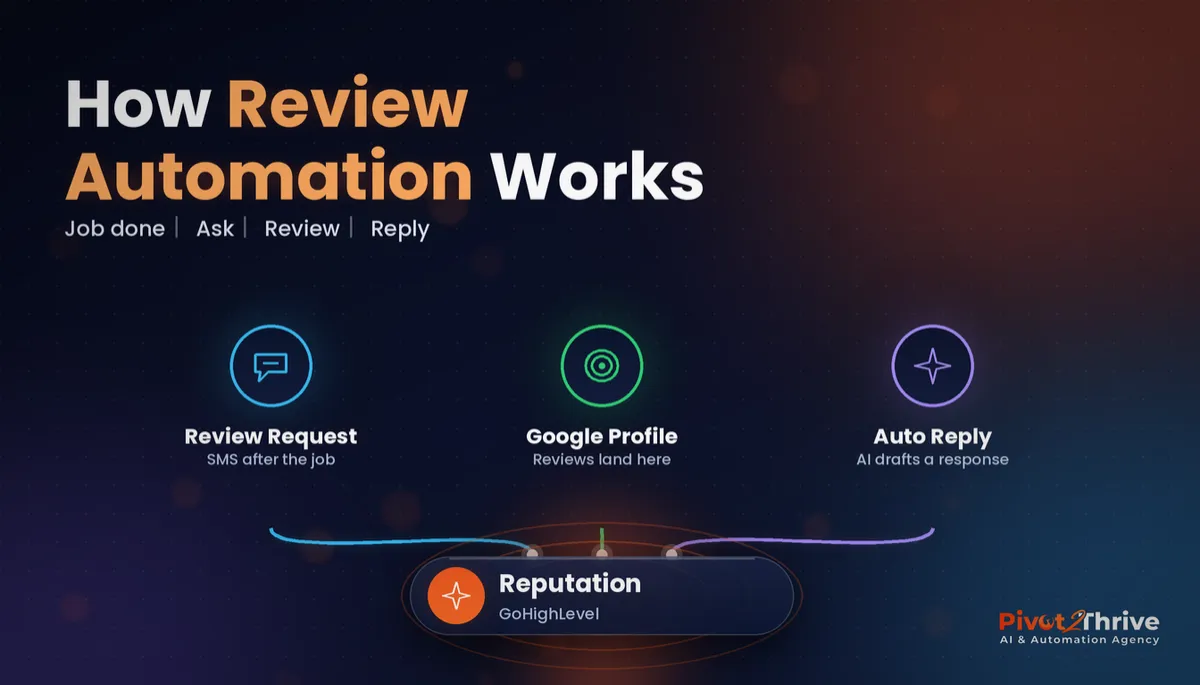
GoHighLevel Reputation Management: Get More Google Reviews on Autopilot (2026 Guide)
Last updated: October 2026.
GoHighLevel reputation management turns Google reviews from something you remember to ask for once a month into something that happens after every single job. Most Australian service businesses deliver great work and still sit on a handful of old reviews, simply because nobody sends the request at the right moment.
This guide shows how to set up the Reputation tools in GoHighLevel so review requests, reminders and replies run on their own.
Some links below are affiliate links — if you sign up through them, Pivot 2 Thrive may earn a commission at no extra cost to you. It never changes what we recommend. Full disclosure.
Key takeaway: GoHighLevel reputation management connects your Google Business Profile, sends an SMS or email review request automatically when a job is marked complete, follows up once, and helps you reply to every review. Ask every customer the same way; never filter out unhappy ones or offer incentives.
On This Page
- What GoHighLevel Reputation Management Is
- Why Google Reviews Matter More Than Ever for Local Businesses
- How to Set Up Review Automation in GoHighLevel: 6 Steps
- Australian Example: Review Automation for a Trades Business
- 5 GoHighLevel Review Automation Mistakes to Avoid
- Frequently Asked Questions
- Related Articles
This guide is written by Dr Priya Jaganathan, founder of Pivot 2 Thrive, a Go High Level Certified Admin, Certified AI Tech Stack Consultant and keynote speaker who builds AI lead-handling systems for Australian businesses. Everything below comes from systems we build and run for clients, not theory.
What GoHighLevel Reputation Management Is
GoHighLevel reputation management is the set of tools inside the Reputation section of a HighLevel sub-account that lets you request, monitor and respond to online reviews from one place. It connects to your Google Business Profile and Facebook page, so new reviews appear alongside your contacts and conversations.
The real value is that review requests become a workflow step, not a task someone has to remember. Once the trigger is set, every customer gets asked at the right time in the same friendly way.
Why Google Reviews Matter More Than Ever for Local Businesses
Almost everyone checks. According to BrightLocal's Local Consumer Review Survey 2025, just 4% of consumers say they never read online reviews for local businesses. Reviews are part of nearly every buying decision, whether the customer finds you on Google Maps, your website or a referral.
Reviews also feed your local visibility. Google lists the number and quality of reviews among the signals it considers for local results, and a steady flow of recent reviews tells customers you are active right now. Our guide to winning local clients from Google Business Profile covers the rest of the profile.
How to Set Up Review Automation in GoHighLevel: 6 Steps
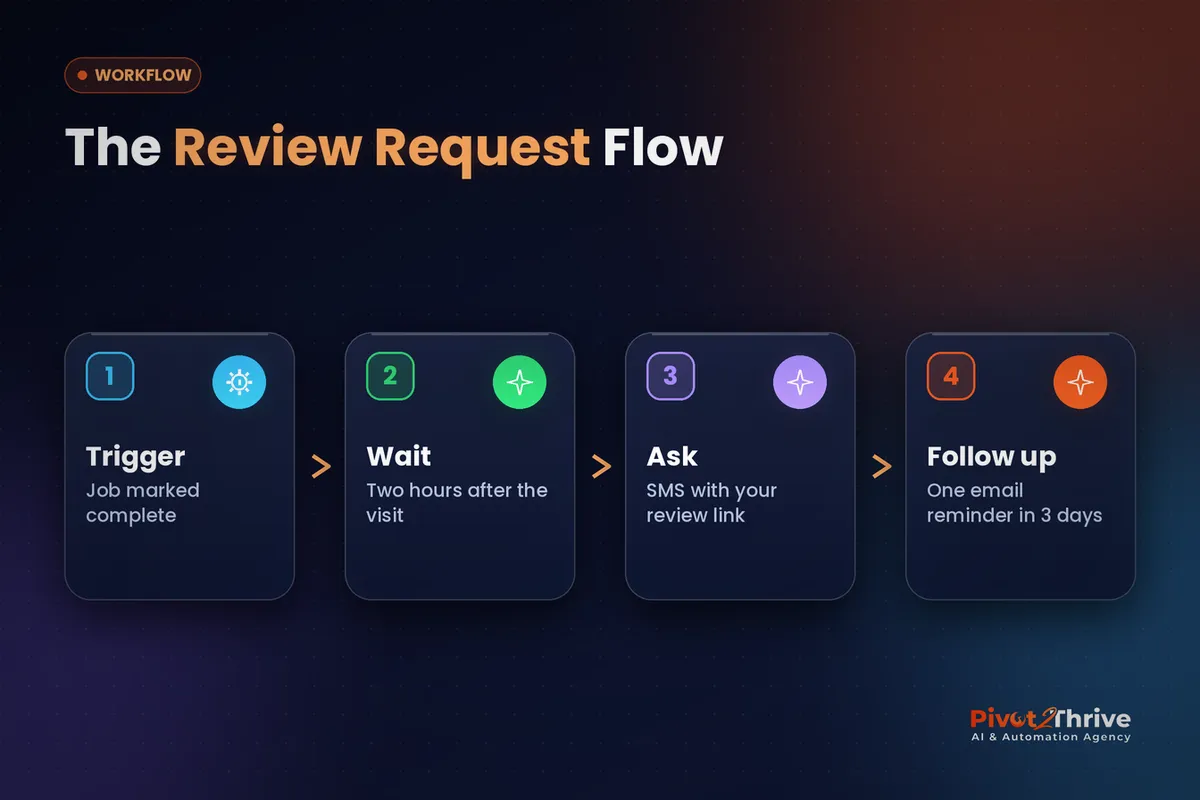
Here is the setup we use for clients. Exact menu names can shift as HighLevel updates the platform, but the logic stays the same.
1. Connect Google Business Profile and Facebook
In the sub-account, go to Settings, then Integrations, and connect the Google account that manages the business profile, plus the Facebook page if you use it. Use an owner or manager login on the profile, or reviews will not sync.
2. Set up your review request message
In the Reputation settings, write a short SMS and email request with your review link. Keep it personal: "Hi {first name}, thanks for choosing us today. Would you mind sharing a quick Google review? It really helps a small local business." Add your business name and an opt-out to the SMS so it stays compliant with the Spam Act; our guide to SMS rules in GoHighLevel explains why.
3. Build the trigger workflow
Create a workflow triggered when an opportunity moves to "Job complete", an appointment status changes to showed, or an invoice is paid. Add a short wait, then the Send Review Request action. Start from one of the GoHighLevel workflow templates for Australian agencies if you want a head start.
4. Time it to the moment of delight
| Business type | Best trigger | Suggested wait |
|---|---|---|
| Trades and home services | Job marked complete or invoice paid | 2 hours |
| Clinics and allied health | Appointment marked showed | Same evening |
| Professional services | Project milestone delivered | 1 day |
| Hospitality and beauty | Appointment marked showed | 1–3 hours |
5. Add one gentle reminder
If no review comes in after three days, send one email reminder, then stop. One reminder lifts responses; three feels like nagging.
6. Reply to every review, with AI help
HighLevel includes AI-assisted review replies that draft a response based on the review content. Turn on drafts with your own tone guidelines, and have a person approve replies to any negative review before they go live.
Australian Example: Review Automation for a Trades Business
Consider a Sydney plumbing business with a solid reputation but only a couple of dozen Google reviews, most of them years old. The owner always meant to ask customers, but at the end of a long day it never happened.
With the workflow above, every paid invoice triggers a text two hours later. The owner's name is in the message, the link opens straight to the review form, and one email reminder follows three days later. Reviews start arriving weekly instead of yearly, and AI-drafted replies mean each one gets a response the same day.
The same flow suits seasonal trades such as shade sail installers, where summer customers are often the happiest. Agencies can even run a client webinar demonstrating this exact setup.
Want us to build your review automation for you? Book a free strategy call with Pivot 2 Thrive and we will set it up properly the first time.
Not on HighLevel yet? Start with a free 30-day trial — enough time to build everything in this guide before you pay a cent.
5 GoHighLevel Review Automation Mistakes to Avoid
- Review gating. Sending only happy customers to Google breaches Google's policies. Ask everyone.
- Asking too late. A request a week after the job gets a fraction of the response of one sent the same day.
- Wrong Google login. If the connected account is not an owner or manager of the profile, reviews will not sync.
- Auto-posting AI replies to complaints. Negative reviews deserve a human-approved response.
- Triggering on the wrong event. Asking when an appointment is booked, not completed, annoys customers before they have seen your work.
Frequently Asked Questions
Is reputation management included in GoHighLevel?
Yes. Review requests, review monitoring and Google and Facebook review syncing are part of the Reputation section in HighLevel sub-accounts. Some AI reply features may depend on your plan or add-ons, so check your account settings.
Can GoHighLevel send review requests automatically?
Yes. You can add a Send Review Request action to any workflow, triggered by a completed job, a showed appointment, a paid invoice or a pipeline stage change. Every customer then gets asked at the same point in their journey.
Is it legal to filter out unhappy customers before asking for reviews?
Selectively asking only happy customers, often called review gating, goes against Google's review policies and can mislead consumers under Australian Consumer Law guidance from the ACCC. Ask every customer the same way and handle complaints separately.
Can I offer a discount in exchange for a Google review?
No. Google's policies prohibit incentivised reviews, and the ACCC warns businesses against practices that distort genuine reviews. Make it easy and polite to leave a review instead.
Should I send review requests by SMS or email?
SMS usually gets faster responses for local service businesses, with email as a reminder. Make sure every SMS identifies your business and includes an opt-out to comply with the Spam Act.
How do I respond to a negative Google review?
Reply promptly, calmly and briefly, acknowledge the issue, and invite the customer to continue the conversation offline. Have a person approve the reply rather than posting an AI draft unchecked.
Ready to put your Google reviews on autopilot? Book a free strategy call or see how we build complete lead and review systems at Pivot 2 Thrive.
Prefer to build it yourself? Try HighLevel free for 30 days.
Related Articles
Pivot 2 Thrive services
- PowerPivot Leads Pro: AI lead capture and follow-up
- AI Receptionist Agent: answer every call, day or night
Keep reading on the blog
- GoHighLevel Workflow Templates Every Australian Agency Should Build First
- SMS Marketing and the Spam Act: Compliance Rules for GoHighLevel
- GoHighLevel Conversations: One Inbox for SMS, Email, Chat and Socials
- AI for Shade Sail Installers in Australia
- Webinars for AI Agencies: Run Online Workshops That Book Clients
Everything else
