
GoHighLevel Attribution Reporting: See Which Ads and Channels Actually Book Jobs (2026 Guide)
Last updated: October 2026.
 By Dr Priya Jaganathan, Certified AI Tech Stack Consultant · Pivot 2 Thrive · Updated 31 October 2026 · 8 min read
How to set up GoHighLevel attribution reporting so every lead carries its source, and you can see which channels turn into booked, paying jobs.
GoHighLevel attribution reporting answers the question every Australian business owner asks after a month of ad spend: which of these channels actually brought in customers? Most accounts I audit capture plenty of leads but can't say where half of them came from.
That gap costs money. Without clean source data you keep paying for the channel that feels busy, not the one that books jobs. This guide shows you how to fix it inside the CRM you already pay for.
Some links below are affiliate links — if you sign up through them, Pivot 2 Thrive may earn a commission at no extra cost to you. It never changes what we recommend.
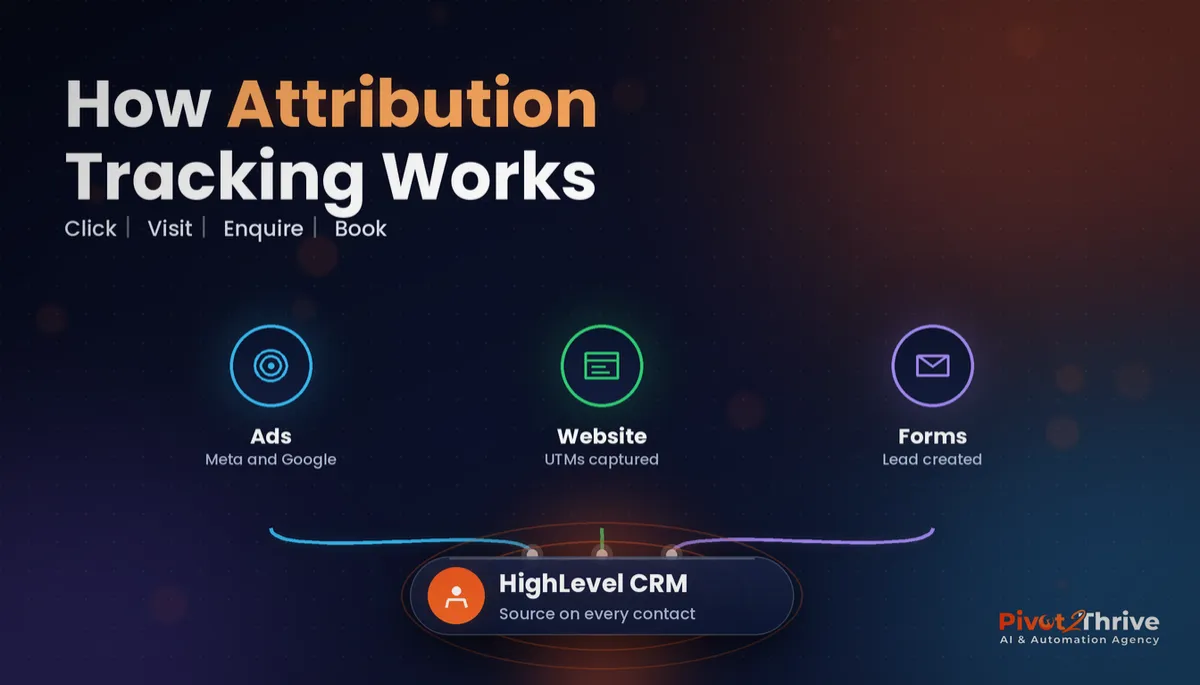
GoHighLevel stores a first attribution and a latest attribution on every contact, built from UTM parameters, referrers and the page where the lead converted. Tag every ad link with UTMs, send every enquiry through a HighLevel form, calendar or chat widget, and review a weekly attribution view that runs through to booked and won opportunities, not just leads.
I'm Dr Priya Jaganathan — Go High Level Certified Admin, Certified AI Tech Stack Consultant and keynote speaker. At Pivot 2 Thrive I build these systems for Australian businesses every week, so this guide is written from the build, not the brochure.
GoHighLevel attribution reporting is…
GoHighLevel attribution reporting is the record of where each contact came from — the ad, page, campaign or channel — tied to what that contact went on to do in your CRM.
HighLevel keeps two versions on every contact. First attribution captures the first tracked interaction and never changes. Latest attribution updates with the most recent converting interaction, such as a form submission, calendar booking or chat widget enquiry.
On its own that is just a label. The value comes when you connect it to outcomes, which is why attribution works best alongside clean GoHighLevel pipeline stages that show which leads became booked and won jobs.
Why lead source tracking decides where your marketing budget goes
Every channel looks good in its own dashboard. Meta reports its conversions, Google reports its conversions, and both happily count the same customer. Your CRM is the only neutral referee, because it sees the contact once, with one record of how they arrived.
Cost per lead also misleads. A cheap lead from a broad social campaign that never books is worth less than a pricier search lead that turns into a $4,000 job. Attribution lets you judge channels on cost per booked appointment and revenue, which is where the real decisions sit.
Finally, attribution exposes slow follow-up. When one channel's leads book far less often than another's, the problem is frequently response time, not lead quality. Our guide to speed to lead for Australian businesses covers that fix.
How to set up GoHighLevel attribution reporting in 6 steps
This setup suits any HighLevel sub-account running paid ads, SEO or email. Allow two to three hours for the first build, then ten minutes a week to review.
1. Agree one UTM naming convention. Decide your values once: utm_source (facebook, google, newsletter), utm_medium (cpc, paid_social, email, organic_social) and utm_campaign (a short lowercase name). Keep it in a shared doc so contractors and staff use the same words.
2. Tag every link you control. Add UTMs to every Meta ad URL parameter field, Google Ads final URL suffix, email button and social bio link. Untagged links are the main reason HighLevel shows a lead as direct or unknown.
| Lead entry point | Attribution captured? | What to do |
|---|---|---|
| HighLevel form, survey or calendar on your site | Yes, first and latest | Keep using it; check UTMs pass through |
| HighLevel chat widget | Yes | Install the widget on every key page |
| Third-party form (e.g. a theme contact form) | Often partial | Replace with an embedded HighLevel form or test external tracking |
| Phone call to main line | No channel data | Use HighLevel tracking numbers per channel |
| Contact added manually by staff | No | Add a required lead source field and pick from a list |
3. Route every enquiry through HighLevel. Embed HighLevel forms, calendars and the chat widget rather than third-party plugins. Our GoHighLevel forms and surveys guide shows the build. Where a plugin must stay, test that HighLevel's external tracking script captures it.
4. Give phone calls a source. Buy separate HighLevel numbers for Google Business Profile, the website and print or radio, and forward them to your main line. Calls then land with a channel instead of a blank.
5. Connect sources to pipeline outcomes. Make sure every new lead creates an opportunity in a pipeline, and that stages are updated when a job is booked, quoted and won. Attribution can only show revenue by channel if opportunities carry values and statuses.
6. Build a weekly attribution view. In Reporting, open the attribution reports and switch between first and latest attribution. Then add a widget to a custom HighLevel dashboard showing leads, booked appointments and won value by source. Check menu names in your own account, as HighLevel moves reports between updates.
Run a test lead through every entry point with a tagged link before trusting the numbers. One broken form can quietly skew a month of decisions.
Leads are a vanity number. The only attribution report worth reading is the one that runs all the way to booked appointments and paid invoices.
Not on HighLevel yet? Start with a free 30-day trial — enough time to build everything in this guide before you pay a cent.
An Australian example: a Brisbane landscaper finds the channel that pays
Here is an illustrative scenario. A Brisbane landscaping business spends on Meta ads, Google search ads and a local newsletter, and the owner believes Meta is the winner because it produces the most enquiries.
They tag every ad and email link with UTMs, swap their website plugin form for a HighLevel form, and put separate tracking numbers on the website and Google Business Profile.
After eight weeks the weekly view tells a different story. Meta still produces the most leads, but Google search leads book site visits far more often and carry larger quotes. The newsletter produces few leads but a high share of repeat clients.
The owner moves part of the Meta budget into search and sets a faster SMS follow-up for Meta leads. Nothing new was bought; the data was already sitting in the CRM, waiting for consistent tracking.
The next leak they close is at the quote stage, using GoHighLevel estimates that turn quotes into paid jobs, so won value per channel is recorded automatically.
GoHighLevel attribution mistakes to avoid
- Inconsistent UTM spelling. Facebook, facebook and fb become three channels. Use lowercase and one shared list.
- Judging channels on leads alone. Leads that never book are a cost, not a win. Report on booked and won as well.
- Ignoring phone calls. For trades and clinics, calls are often the majority of enquiries. Untracked calls hide your best channel.
- Only reading first attribution. First touch shows discovery; latest touch shows what tipped the decision. Read both before cutting a channel.
- Letting staff add contacts with no source. Make lead source a required dropdown on manual entry.
Tracking only helps if leads are followed up properly, so pair this with a lead follow-up audit to find where enquiries leak.
Frequently Asked Questions
What is attribution reporting in GoHighLevel?
Attribution reporting in GoHighLevel shows which marketing source created each contact and each opportunity. HighLevel records a first attribution from the contact's first tracked interaction and a latest attribution from their most recent converting interaction. You can then compare channels by leads, booked appointments and won value.
What is the difference between first and latest attribution?
First attribution is the source of the contact's very first tracked interaction and it never changes. Latest attribution reflects the most recent interaction before a conversion and updates as the contact comes back through new channels. Use first attribution to judge discovery channels and latest attribution to judge what closes.
Do I need UTM parameters for GoHighLevel attribution?
Yes, if you want reliable channel and campaign names. HighLevel can infer some sources from referrers and ad click IDs, but UTM parameters on every ad, email and social link give you consistent source, medium and campaign values. Use one lowercase naming convention and keep it in a shared document.
Why do so many of my leads show as direct or unknown?
Leads usually show as direct or unknown when they enter through a channel HighLevel cannot track. Common causes are third-party forms that are not connected, links without UTMs, staff typing contacts in manually and phone calls without tracking numbers. Route every enquiry through a HighLevel form, calendar, chat widget or tracked number to shrink that bucket.
Can GoHighLevel attribution track phone calls?
It can when you use HighLevel tracking numbers assigned to specific sources, such as one number on Google Business Profile and another on your website. Calls to an untracked main line arrive without a channel. For trades and clinics where most enquiries are calls, number pools or per-channel numbers are essential.
How often should I review attribution reports?
Review a simple attribution view weekly and make budget decisions monthly. Weekly checks catch broken tracking quickly, such as a form that stopped capturing UTMs. Monthly decisions give each channel enough volume to judge fairly, especially for small Australian businesses with modest lead numbers.
Still deciding on a platform? Try HighLevel free for 30 days and set up your first tracked campaign this week.
Related Articles
Our services
- PowerPivot Leads Pro — AI lead generation and follow-up
- AI Receptionist Agent — answer every call, 24/7
Keep reading
 GoHighLevel Dashboards: Build a Reporting View That Shows What Is Actually Working
 GoHighLevel Pipeline Stages: See Where Deals Stall
 GoHighLevel Forms and Surveys Setup Guide
 Facebook Ads for AI Agencies in Australia
 Missed Call Text Back for Australian Businesses
Everything else
