GoHighLevel Pipeline Stages: How to Set Them Up So You Can See Where Deals Stall (2026 Guide)
Last updated: October 2026.
GoHighLevel pipeline stages are the difference between a CRM that tells you where money is leaking and one that is just a prettier contact list. Most Australian accounts we audit have either one giant "Leads" column or fifteen stages nobody updates — and both hide the same problem: you can't see where deals stall.
This guide gives you a six-stage build that works for almost any service business, the automations that move cards for you, and the mistakes that quietly wreck your reporting.
Some links below are affiliate links — if you sign up through them, Pivot 2 Thrive may earn a commission at no extra cost to you. It never changes what we recommend.
Key takeaway: Set up GoHighLevel pipeline stages around the buyer's decisions, not your internal tasks: New Lead, Contacted, Qualified, Booked, Proposal Sent and Won/Lost. Let workflows move the cards on real events (form submitted, call booked, invoice paid) so the board is always accurate, then review stalled deals weekly.
On This Page
- What Are GoHighLevel Pipeline Stages (and What Are They Not)?
- Why Clear Pipeline Stages Win More Deals Than More Leads
- The 6-Stage GoHighLevel Pipeline Setup (Step by Step)
- A Real-World Example: A Brisbane Renovation Business
- 5 GoHighLevel Pipeline Mistakes That Hide Lost Revenue
- Frequently Asked Questions
- Related Articles
This framework comes from Dr Priya Jaganathan, Go High Level Certified Admin, Certified AI Tech Stack Consultant and keynote speaker, who has rebuilt pipelines for Australian clinics, trades businesses and agencies that were losing deals between the enquiry and the quote.
What Are GoHighLevel Pipeline Stages (and What Are They Not)?
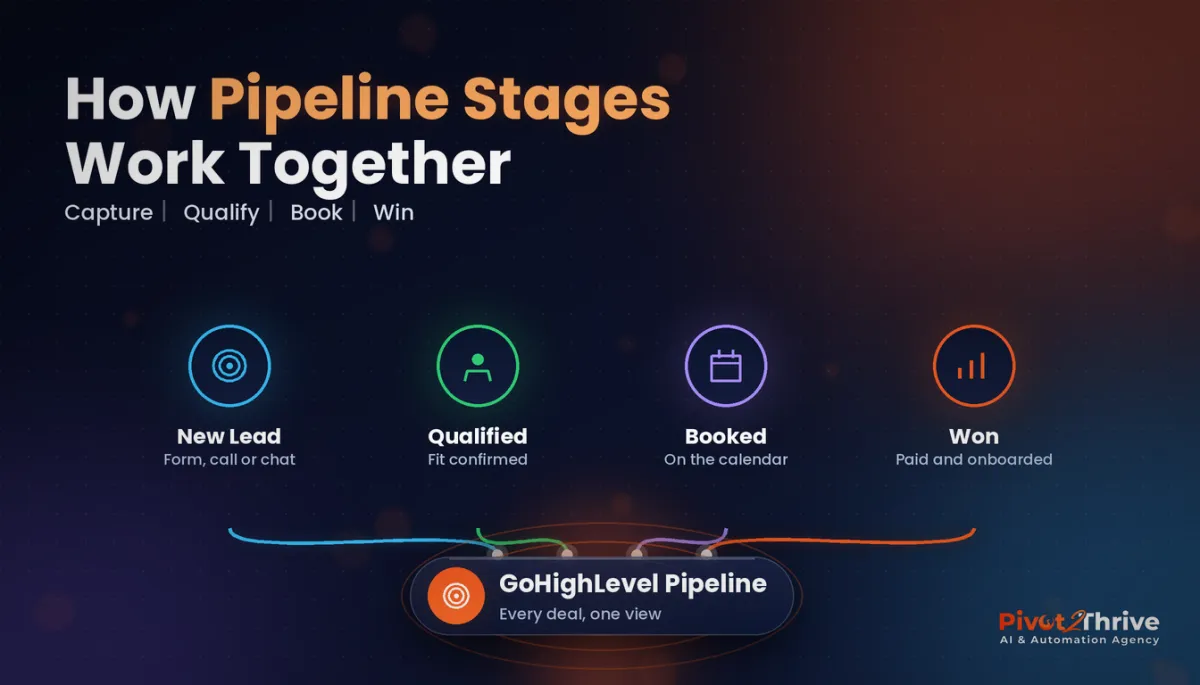
GoHighLevel pipeline stages are the columns in an Opportunities pipeline that show where each potential deal sits between first enquiry and paid client. Each card is an opportunity attached to a contact, with a value, an owner and a status of open, won, lost or abandoned.
A pipeline is not a task list. "Send welcome email" or "Chase invoice" are jobs for workflows and tasks, not stages. If a column describes what your team does rather than what the buyer has decided, it doesn't belong on the board.
You can run more than one pipeline per sub-account — for example, one for new sales and one for client onboarding — but every pipeline should answer one question: how far has this person moved towards saying yes?
Why Clear Pipeline Stages Win More Deals Than More Leads
Most businesses try to fix a sales problem by buying more leads. Usually the leads are fine; they are dying in a stage nobody is watching.
Speed is the classic example. In a study of 1.25 million sales leads published in Harvard Business Review in 2011, firms that tried to contact a lead within an hour were nearly seven times as likely to qualify it as firms that waited even one hour longer, and more than 60 times as likely as those that waited 24 hours or more. A "Contacted" stage with a time limit makes that visible in a way a contact list never will.
Good stages also make your reporting honest. When every card sits in the right column, the GoHighLevel opportunity reports show conversion from one stage to the next, so you know whether to fix your follow-up, your qualification or your proposal — instead of guessing.
If you already score leads, pair this build with our guide to GoHighLevel lead scoring so the hottest cards get called first.
The 6-Stage GoHighLevel Pipeline Setup (Step by Step)
This is the build we start from for most Australian service businesses. Rename stages to suit your industry, but keep the logic.
| Stage | Buyer has… | Moves in automatically when… | Stall alarm |
|---|---|---|---|
| 1. New Lead | Made contact | Form, chat, call or ad lead arrives | 15 minutes untouched |
| 2. Contacted | Heard back from you | First reply sent or call logged | 2 days with no reply |
| 3. Qualified | Confirmed fit and budget | Qualification questions answered | 3 days with no booking |
| 4. Booked | Committed time | Appointment booked in a GHL calendar | No-show or reschedule |
| 5. Proposal Sent | Seen the price | Estimate, proposal or quote sent | 5 days with no decision |
| 6. Won / Lost | Decided | Invoice paid, or marked lost with a reason | Lost reason missing |
Step 1 — Create the pipeline. In the sub-account, go to Opportunities, then Pipelines, and create a new pipeline named for what it tracks, such as "New Sales". Add the first five stages above. Won and lost are statuses in GoHighLevel, not stages, so you don't need columns for them.
Step 2 — Write a one-line entry rule for every stage. Put it in your SOP: "A card is Qualified when the person has confirmed suburb, service and budget." If two team members could disagree about where a card belongs, the rule isn't tight enough.
Step 3 — Create the opportunity automatically. Build a workflow triggered by your form submission, survey, chat widget or inbound call, with a Create/Update Opportunity action that drops the card into New Lead with the lead source and an estimated value. Nobody should be hand-creating cards.
Step 4 — Move cards on events, not memory. Add workflows that update the stage when something real happens: an outbound SMS or call moves it to Contacted, a booked appointment moves it to Booked, a sent estimate moves it to Proposal Sent, and a paid invoice marks it Won. Our AI lead qualification workflow can handle the jump from Contacted to Qualified for you.
Step 5 — Set stall alarms. Use the Stale Opportunities trigger, or a wait step with an if/else, to alert the owner when a card sits too long in one stage. Ten stalled cards a week is a coaching conversation; fifty is a process problem.
Step 6 — Make lost reasons compulsory. Give the team a short list: price, timing, went with competitor, no response, not a fit. After a quarter you will know exactly which objection to fix first.
Step 7 — Review weekly. Spend 20 minutes every Monday on the board view: what's stuck, who owns it, what moves it. If a workflow isn't moving cards the way you expect, our GoHighLevel workflow troubleshooting guide walks through the usual culprits.
Want this pipeline built and automated for you? Book a CRM transition call with Pivot 2 Thrive and we'll map your stages, automations and stall alarms in one session.
Not on HighLevel yet? Start with a free 30-day trial — enough time to build everything in this guide before you pay a cent.
A Real-World Example: A Brisbane Renovation Business
Picture a Brisbane bathroom renovation company with two estimators and one admin. Before the rebuild, every enquiry lived in an inbox and a spreadsheet, and the owner's only number was "we're busy".
After setting up the six stages, the board told a clear story within a month: enquiries were being contacted quickly, but quotes were sitting in Proposal Sent for two weeks with no follow-up. The fix wasn't more ads; it was a three-touch quote follow-up sequence triggered by the Proposal Sent stage.
Trades businesses in the same position — painters in spring are a good example — can see the same pattern; we cover that in AI for painters in Australia, published alongside this guide.
5 GoHighLevel Pipeline Mistakes That Hide Lost Revenue
- Too many stages. More than seven columns and the team stops updating them. Merge anything that doesn't change what you do next.
- Stages named after tasks. "Send contract" is a to-do. "Contract sent" is a buyer state.
- Manual card moves only. If the board relies on memory, it will be wrong by Wednesday. Automate every move you can trigger from an event.
- No opportunity values. Without a dollar value, you can't see which stalled deals matter most. Use an average job value if you don't know the exact figure.
- One pipeline for everything. Sales, onboarding and support in one board makes every report useless. Split them.
Frequently Asked Questions
How many pipeline stages should I have in GoHighLevel?
Most service businesses need five or six stages: New Lead, Contacted, Qualified, Booked and Proposal Sent, with won and lost handled as statuses. More than seven stages usually means some columns describe tasks rather than buyer decisions, and the team stops updating them.
Can GoHighLevel move opportunities between stages automatically?
Yes. Workflows can create an opportunity when a lead arrives and update its stage when a real event happens, such as an appointment being booked, an estimate being sent or an invoice being paid. Automating moves keeps the board accurate without relying on staff memory.
Are won and lost stages in GoHighLevel?
No, in GoHighLevel won, lost and abandoned are opportunity statuses rather than pipeline stages. You can mark a card won or lost from any stage, and you should capture a lost reason each time so you can report on why deals don't close.
Should I use more than one pipeline?
Yes, when the processes are genuinely different. A common setup is one pipeline for new sales and a separate one for client onboarding or renewals, so each board answers one question and the reports stay clean.
How do I find stalled deals in GoHighLevel?
Use the Stale Opportunities workflow trigger or a wait-and-check step to alert the owner when a card sits in one stage too long. Then review the board weekly and sort by value so the biggest stalled deals get attention first.
What's the difference between pipeline stages and tags?
Pipeline stages show where one deal sits in the buying process, and a card can only be in one stage at a time. Tags are labels on a contact that can stack up, so they suit segmentation such as lead source or service type rather than deal progress.
Ready for a pipeline that tells you the truth? Book a CRM transition call and we'll build it with you, or explore how Pivot 2 Thrive sets up GoHighLevel for Australian businesses. Building it yourself? Try HighLevel free for 30 days.
Related Articles
Pivot 2 Thrive services
- PowerPivot Leads Pro: done-for-you lead capture and follow-up
- AI Receptionist Agent: answer every call, 24/7
Keep reading on the blog
- GoHighLevel lead scoring: get hot leads called first
- AI lead qualification workflow in GoHighLevel
- GoHighLevel workflow templates every Australian agency should build first
- How to troubleshoot GoHighLevel workflows
- The AI agency 2027 business plan for Australian owners
