GoHighLevel Lead Scoring: Set It Up So Hot Leads Get Called First (2026 Guide)
Last updated: October 2026.
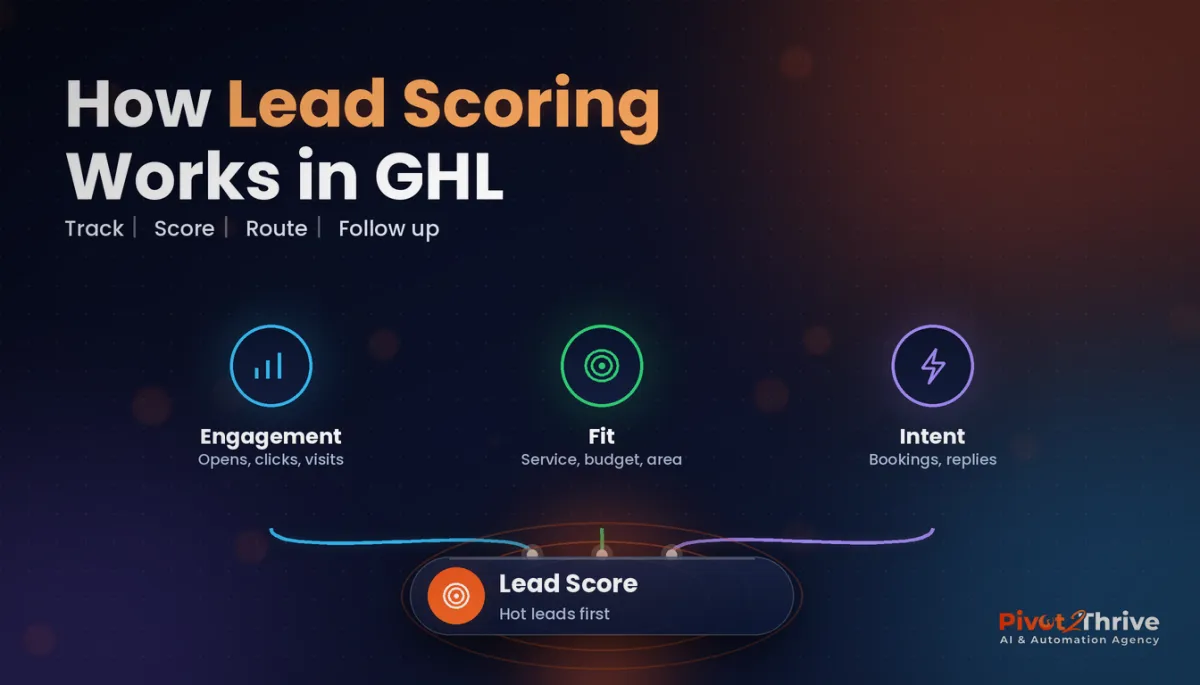
GoHighLevel lead scoring gives every contact a number that tells your team who to call first. Without it, a hot lead who has opened three emails and visited your pricing page sits in the same queue as someone who downloaded a checklist six months ago. This guide shows you how to build a simple, reliable scoring model inside HighLevel.
Some links below are affiliate links — if you sign up through them, Pivot 2 Thrive may earn a commission at no extra cost to you. It never changes what we recommend.
Key takeaway: Create a Number custom field called Lead Score, use workflows with the Math Operation action to add points for fit and intent signals (and subtract them for inactivity), then trigger alerts, tags and pipeline moves when the score crosses a threshold. Keep it to five to eight rules so the team trusts it.
On This Page
This walkthrough comes from Dr Priya Jaganathan, Go High Level Certified Admin, Certified AI Tech Stack Consultant and keynote speaker, who designs CRM and lead-follow-up systems for Australian agencies and service businesses at Pivot 2 Thrive.
What Is GoHighLevel Lead Scoring?
GoHighLevel lead scoring is a points system attached to each contact. Actions that suggest buying interest add points, signals of poor fit or inactivity remove them, and the running total decides how fast and how personally you follow up.
In HighLevel you build it with three parts you already have: a Number custom field to hold the score, workflows that react to triggers such as form submissions, email clicks or appointment bookings, and the Math Operation workflow action to add or subtract points.
Scoring sits naturally on top of a lead qualification workflow. Qualification asks "is this a fit?"; scoring asks "how ready are they right now?"
Why Lead Scoring Matters for Speed to Lead
Response speed decides deals. In the Harvard Business Review study "The Short Life of Online Sales Leads" (2011), firms that tried to contact a lead within an hour were nearly seven times as likely to qualify that lead as firms that waited even one hour longer.
Most teams cannot call every lead in the first hour. Lead scoring solves that by making sure the first hour goes to the people most likely to buy. It does not replace speed; it points your speed at the right contacts.
For agencies, scoring is also a sellable deliverable. Clients understand "we will tell you which leads to call first" far faster than they understand workflow diagrams.
How to Set Up Lead Scoring in GoHighLevel (Step by Step)
Follow these steps in a test sub-account first, then roll the build into your snapshot.
1. Create the Lead Score field
In Settings, create a custom field of type Number called Lead Score. Set it to 0 for new contacts using a simple "Contact Created" workflow, so every contact starts from the same baseline.
2. Choose your scoring signals
Pick five to eight signals and split them into fit (who they are) and intent (what they do). Use the table below as a starting point and adjust the points to the client's sales cycle.
| Signal | Type | Example trigger in HighLevel | Suggested points |
|---|---|---|---|
| Submitted a quote or contact form | Intent | Form Submitted | +20 |
| Booked an appointment | Intent | Customer Booked Appointment | +30 |
| Clicked a pricing or offer email link | Intent | Trigger Link Clicked | +10 |
| Replied to an SMS or email | Intent | Customer Replied | +15 |
| Service area or budget matches | Fit | Contact Changed (custom field value) | +15 |
| Outside service area | Fit | Contact Changed (custom field value) | -20 |
| No engagement for 30 days | Decay | Wait step plus If/Else in a nurture workflow | -10 |
3. Build one workflow per signal
For each signal, create a workflow with the matching trigger and a Math Operation action that adds or subtracts points from the Lead Score field. Name workflows clearly, for example "SCORE +20 Quote Form", so anyone can audit them later.
Keep each workflow to a single job. One-signal workflows are far easier to debug, and if a score looks wrong you will find the cause quickly with our GoHighLevel workflow troubleshooting guide.
4. Stop scores being gamed or double-counted
Untick "allow re-entry" on workflows that should only score once, such as the first form submission. For repeatable actions like link clicks, cap the score with an If/Else condition so one enthusiastic clicker cannot hit the top band on email alone.
5. Set score bands and actions
Define three bands and what happens in each. A common pattern: 0–29 Cold stays in nurture, 30–59 Warm gets a tag and a task for follow-up within the day, and 60+ Hot triggers an internal SMS alert, moves the opportunity to a "Hot" pipeline stage and assigns the contact to a salesperson.
Use a "Contact Changed" trigger filtered on the Lead Score field to fire band actions the moment a score crosses a threshold.
6. Add decay
Scores that only go up become meaningless. Add a nurture workflow that waits 30 days without engagement and then subtracts points. Decay keeps the Hot list honest.
7. Show the score where the team works
Add Lead Score to contact list columns and smart lists, and sort by it. Build a smart list called "Call today: Hot" so the team starts every morning in the right place.
8. Review after 30 days
Compare the scores of contacts who became customers with those who did not. If won deals averaged 45 points, your Hot threshold of 60 is too high. Adjust points, not the number of rules.
Want lead scoring built into your HighLevel account or client snapshot? Book a strategy call with Pivot 2 Thrive.
Not on HighLevel yet? Start with a free 30-day trial — enough time to build everything in this guide before you pay a cent.
Australian Example: Lead Scoring for a Solar Installer
Consider a Perth solar installer that gets leads from Facebook ads, a quote form and phone calls. Before scoring, sales reps worked the list top to bottom, so tyre-kickers from a free guide download got the same attention as homeowners who had booked a roof assessment.
The agency adds a Lead Score field with six rules: quote form +20, roof assessment booked +30, battery page link clicked +10, replied to SMS +15, postcode outside the service area -20, and 30 days of silence -10. Contacts above 60 trigger an SMS to the sales manager and land in a "Call today" smart list.
Reps now start each day with the hottest ten contacts. The process did not change; the order did. Combined with an instant first reply, such as missed call text back, the hottest leads hear from a human while they are still comparing quotes.
Agencies packaging this as a holiday add-on can bundle it into a Christmas automation offer for clients who expect a December rush.
Common GoHighLevel Lead Scoring Mistakes
- Too many rules. Twenty signals make the score impossible to explain. Start with five to eight.
- No decay. Without negative points for inactivity, every old contact eventually looks hot.
- Scoring email opens heavily. Privacy features in mail apps can inflate opens. Weight clicks, replies and bookings instead.
- Re-entry left on. A form resubmitted three times should not triple the score. Check each workflow's re-entry setting.
- No action at the threshold. A score nobody acts on is a vanity number. Tie every band to a task, alert or pipeline move.
Frequently Asked Questions
Does GoHighLevel have lead scoring?
Yes. You can score leads in HighLevel by storing points in a Number custom field and updating it with workflows that use the Math Operation action. Triggers such as form submissions, link clicks, replies and bookings add or subtract points automatically.
What is the Math Operation action in GoHighLevel?
It is a workflow action that performs calculations on number and date fields, such as adding 10 to a contact's Lead Score. It is the simplest way to increment or decrement a score each time a lead takes an action.
How many points should a lead get for booking an appointment?
Booking is usually the strongest intent signal, so give it the most points, often 25 to 30 in a model where 60 means hot. Adjust after 30 days by comparing the scores of won and lost deals.
Should email opens count toward a lead score?
Only lightly, if at all. Mail privacy features can register opens that never happened, so clicks, replies and bookings are more reliable indicators of real interest.
How do I stop lead scores going up forever?
Add decay. A nurture workflow can wait 30 days without engagement and then subtract points, so contacts who have gone quiet drop out of the hot band automatically.
Can agencies include lead scoring in a client snapshot?
Yes. Build the custom field, scoring workflows and smart lists once, test them, and include them in your snapshot. Each client then only needs their own points and thresholds adjusted.
Start small: one field, five rules, three bands. You can always add rules later, but you cannot easily win back a team that stopped trusting the score.
Need lead scoring set up properly the first time? Book a call with the Pivot 2 Thrive team or explore more at Pivot 2 Thrive.
Building it yourself? Try HighLevel free for 30 days and use this guide as your checklist.
Related Articles
Pivot 2 Thrive services
- PowerPivot Leads Pro — done-for-you lead generation and follow-up
- AI Receptionist Agent — answer every call and enquiry 24/7
Keep reading
- AI Lead Qualification Workflow in GoHighLevel
- Speed to Lead: The 60-Second Rule That Wins More Clients
- How to Troubleshoot GoHighLevel Workflows
- GoHighLevel Workflow Templates Every Australian Agency Should Build First
- The AI Agency Christmas Offer: Sell Holiday-Ready Automations
More guides
