GoHighLevel Email Campaigns: Nurture Leads Until They Book (2026 Guide)
Last updated: October 2026.
GoHighLevel email campaigns are how you stay in front of the leads who are interested but not ready to book yet. Most Australian businesses collect those emails and then do nothing with them, or send one newsletter a quarter that nobody remembers.
This guide shows how to plan, build and automate email in GoHighLevel so every new lead gets useful follow-up, every past customer hears from you at the right time, and you stay on the right side of the Spam Act.
Some links below are affiliate links — if you sign up through them, Pivot 2 Thrive may earn a commission at no extra cost to you. It never changes what we recommend.
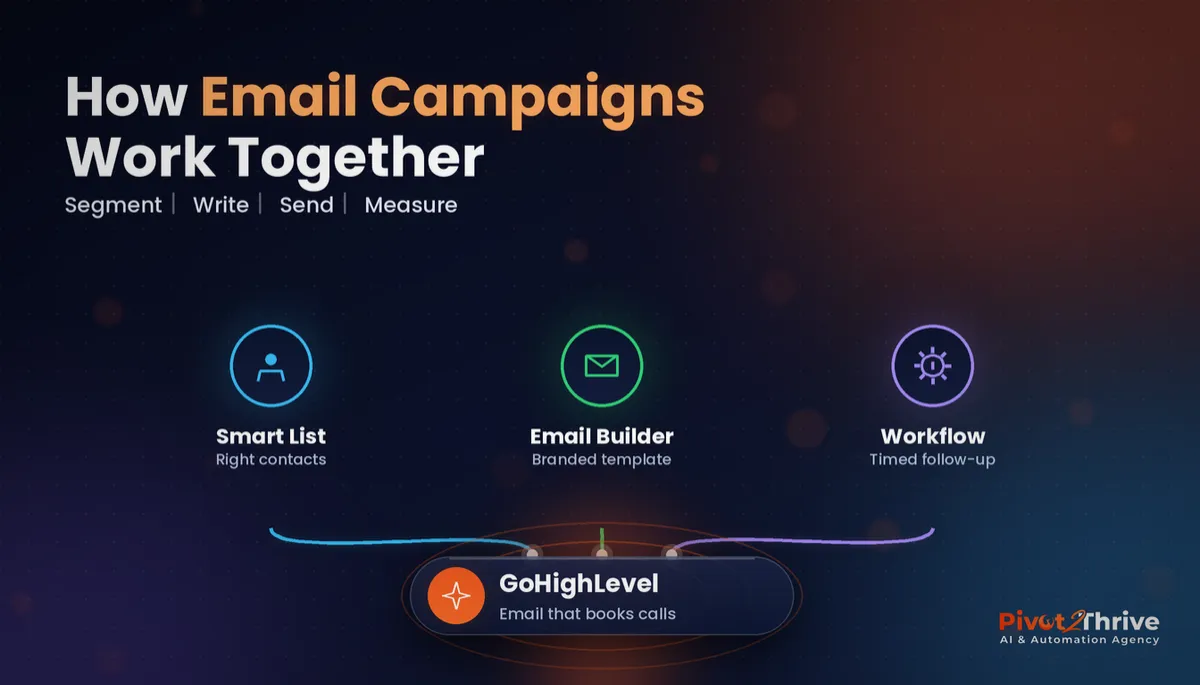
Key takeaway: A GoHighLevel email campaign that books calls has four parts: a Smart List or tag that picks the right contacts, a branded template built in the email builder, a workflow that sends each email on a schedule or trigger, and reporting you check weekly. Send to people who opted in, identify your business and honour unsubscribes within five business days.
On This Page
- What GoHighLevel Email Campaigns Are (and Are Not)
- Why Email Nurture Still Matters for Australian Businesses
- How to Build a GoHighLevel Email Campaign in 7 Steps
- A Realistic Australian Example: A Lawn Care Business Nurturing Past Customers
- 5 Common GoHighLevel Email Campaign Mistakes
- Frequently Asked Questions
- Related Articles
I am Dr Priya Jaganathan, a Go High Level Certified Admin, Certified AI Tech Stack Consultant and keynote speaker. At Pivot 2 Thrive I build GoHighLevel CRMs, follow-up systems and AI receptionists for Australian businesses and agencies, and email nurture is part of almost every build we deliver.
What GoHighLevel Email Campaigns Are (and Are Not)
GoHighLevel email campaigns are emails you send from your CRM to a chosen group of contacts, either as a one-off broadcast or as an automated sequence inside a workflow.
There are two main types. Broadcasts go to a list once, such as a monthly update or a Christmas offer. Sequences are a series of emails triggered by something a contact does, such as downloading a guide or booking a call.
Because email lives in the same place as your pipeline, calendar and conversations, replies land in the contact's record and you can stop a sequence the moment someone books.
Why Email Nurture Still Matters for Australian Businesses
Most leads do not buy on their first visit. An email sequence keeps you useful and visible during the weeks they are deciding, without anyone on your team having to remember to follow up.
In Australia, it also needs to be done properly. The ACMA's guidance on the Spam Act 2003 says commercial emails need consent, must clearly identify the sender, and must include an unsubscribe option that is honoured within five working days. GoHighLevel handles the unsubscribe link for you, but consent and sender details are on you.
If you send SMS as well, the same principles apply, as we explain in our guide to SMS marketing and the Spam Act in GoHighLevel.
How to Build a GoHighLevel Email Campaign in 7 Steps
Follow these steps once and you will have a repeatable system for every campaign after it.
1. Set up your sending domain first. Before you send anything, connect a dedicated sending domain or subdomain with SPF, DKIM and DMARC records. This is the single biggest factor in landing in the inbox. Our GoHighLevel email deliverability guide walks through it.
2. Decide who gets the email. Use tags and Smart Lists to segment your contacts, for example "downloaded checklist, not booked" or "past customer, no job in 6 months". Small, relevant lists beat one big list every time.
3. Build one branded template. In Marketing > Emails > Templates, create a simple template with your logo, colours and footer (business name, ABN or address, and unsubscribe link). Reuse it for every email so they look consistent and take minutes to write.
4. Write short, single-purpose emails. One idea and one call to action per email. Use custom values for names and links so you can update them in one place later.
5. Automate the sequence in a workflow. Trigger the workflow from a form submission, tag or opt-in, add "Send Email" actions with wait steps between them, and add a goal step so the sequence stops when the contact books. If you are new to workflows, start with our list of GoHighLevel workflows every agency should build first.
6. Test before you send. Send a test to yourself on desktop and mobile, click every link, and check that personalisation fields fill in correctly.
7. Review results weekly. Look at opens, clicks, replies, unsubscribes and, most importantly, bookings. Change one thing at a time, such as the subject line or the call to action.
A simple five-email nurture sequence for new leads looks like this:
| When | Purpose | |
|---|---|---|
| 1. Welcome and deliver | Immediately | Send what they asked for and set expectations |
| 2. Quick win | Day 2 | One practical tip they can use today |
| 3. Proof | Day 4 | A short client story or result |
| 4. Common objection | Day 7 | Answer the question that stops people booking |
| 5. Direct invitation | Day 10 | Clear call to book, with the calendar link |
Need somewhere to send these leads from? A GoHighLevel landing page that books calls pairs naturally with this sequence, and if you run an agency, our guide to building an AI agency website that books clients shows where the opt-in should sit.
Want your email nurture built and tested for you? We set up sending domains, templates and automated sequences inside GoHighLevel. Book a free strategy call and we will map your campaigns with you.
Not on HighLevel yet? Start with a free 30-day trial — enough time to build everything in this guide before you pay a cent.
A Realistic Australian Example: A Lawn Care Business Nurturing Past Customers
Picture a lawn and garden business with a few hundred past customers who have not booked in over six months. A Smart List picks them out, and a three-email seasonal campaign goes out before the spring growth period: a garden checklist, a short before-and-after story, and an invitation to book a tidy-up.
Because the emails sit inside a workflow, anyone who books is removed from the sequence and tagged as a regular again. No one on the team has to chase lapsed customers by phone. We cover the rest of that setup in our guide to AI for lawn mowing and gardening businesses.
5 Common GoHighLevel Email Campaign Mistakes
- Sending from a shared or unauthenticated domain. Poor setup sends your emails to spam before anyone reads them.
- Emailing bought lists. It breaches the Spam Act's consent rules and damages your sending reputation.
- No goal step in the workflow. Contacts who already booked keep getting "book a call" emails, which looks careless.
- Long, multi-topic newsletters. One idea and one link per email gets more clicks and more bookings.
- Measuring opens instead of bookings. Opens are unreliable on many email apps. Track replies, clicks and booked calls.
Frequently Asked Questions
Can you send email campaigns from GoHighLevel?
Yes. GoHighLevel includes an email builder, templates, one-off broadcasts and automated sequences inside workflows. Replies and engagement are recorded on each contact, so email works alongside your pipeline, calendar and SMS.
Do I need a dedicated sending domain in GoHighLevel?
It is strongly recommended. A dedicated domain or subdomain with SPF, DKIM and DMARC records improves inbox placement and protects your main domain's reputation. Set it up before sending your first campaign.
What does the Spam Act require for email marketing in Australia?
According to the ACMA, commercial emails need the recipient's consent, must clearly identify the sender, and must include a working unsubscribe option. Unsubscribe requests must be honoured within five working days.
How many emails should a nurture sequence have?
Five to seven emails over two to three weeks works well for most service businesses. Each email should have one purpose and one call to action, and the sequence should stop as soon as the contact books.
What is the difference between a broadcast and a workflow email in GoHighLevel?
A broadcast is sent once to a selected list at a set time, such as a monthly update. A workflow email is sent automatically when a contact meets a trigger, such as submitting a form, and can be part of a timed sequence.
How do I stop a sequence when someone books?
Add a goal event or an if/else condition in the workflow that checks for a booked appointment or a specific tag. When the condition is met, the contact exits the sequence and no further emails are sent.
Ready to turn your contact list into booked calls? Book a free strategy call with Pivot 2 Thrive and we will plan your email nurture together, or visit pivot2thrive.com.au to see our GoHighLevel builds.
Building it yourself? Try GoHighLevel free for 30 days and set up your first sequence this week.
Related Articles
Done-for-you services
- PowerPivot Leads Pro: AI lead generation and follow-up
- AI Receptionist Agent: answer every call, day or night
Keep reading
- GoHighLevel Email Deliverability: The Australian Agency Setup Guide
- GoHighLevel Smart Lists: Segment Your Contacts So Every Campaign Lands
- SMS Marketing and the Spam Act in GoHighLevel
- GoHighLevel Funnels: Build a Landing Page That Books Calls
- AI Agency Website: What I Would Put on Mine to Book Australian Clients
Everything else
