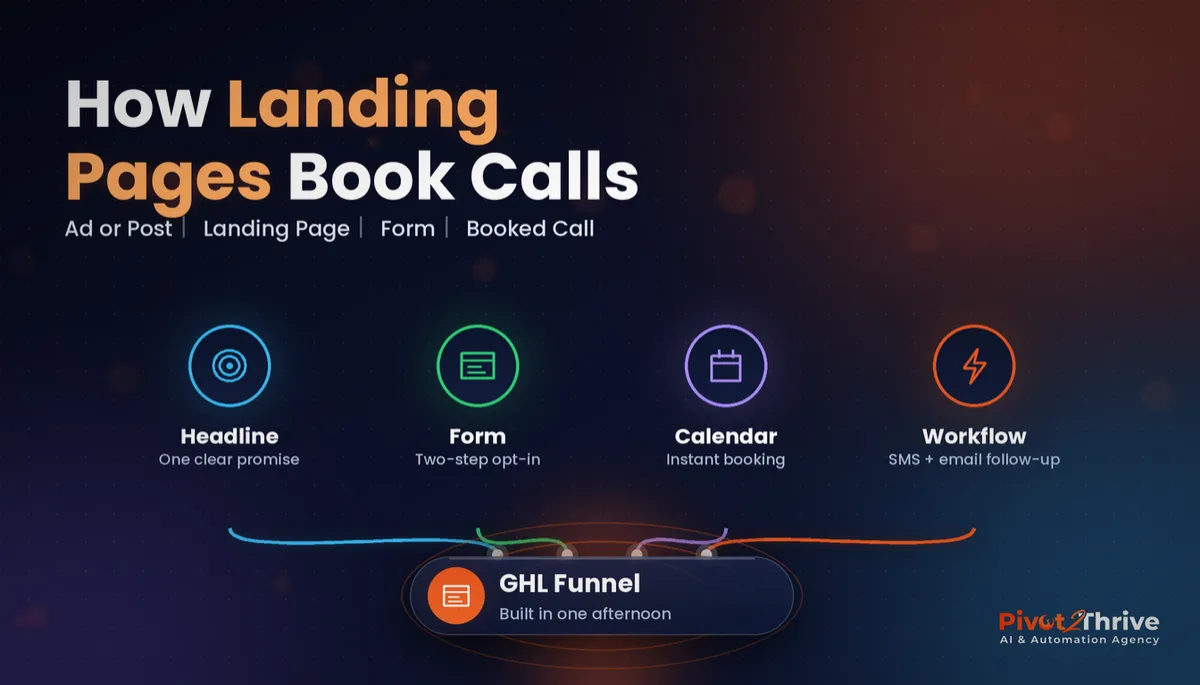
GoHighLevel Funnels: Build a Landing Page That Books Calls in One Afternoon (2026 Guide)
Last updated: October 2026.
GoHighLevel funnels let you build a landing page, capture the lead, book the call and start the follow-up without stitching together four different tools. The catch is that most pages built in the funnel builder look fine and convert badly. This guide shows the exact structure I use for a one-page funnel that books calls, and how to build it in an afternoon.
Some links below are affiliate links — if you sign up through them, Pivot 2 Thrive may earn a commission at no extra cost to you. It never changes what we recommend.
Key takeaway: A landing page that books calls has one offer, one headline, one short form and a calendar on the thank-you step, with a workflow that texts and emails the lead within minutes. Build it as a two-step funnel in GoHighLevel, connect your domain, and judge it on booked calls, not page views.
On This Page
- GoHighLevel Funnels Explained in Plain English
- Why a Dedicated Landing Page Beats Sending Traffic to Your Homepage
- How to Build a GoHighLevel Landing Page That Books Calls: 7 Steps
- An Australian Example: A Sydney Physio Clinic's New-Patient Funnel
- Common GoHighLevel Funnel Mistakes
- Frequently Asked Questions
- Related Articles
This guide is written by Dr Priya Jaganathan, Go High Level Certified Admin, Certified AI Tech Stack Consultant and keynote speaker, who builds AI and automation systems for Australian service businesses and agencies at Pivot 2 Thrive.
GoHighLevel Funnels Explained in Plain English
GoHighLevel funnels are a sequence of pages built inside HighLevel's drag-and-drop builder, where each step moves a visitor one action closer to becoming a customer. A simple funnel might be a landing page, then a booking page, then a thank-you page.
Because the funnel lives in the same platform as your CRM, every form submission creates or updates a contact, and that can trigger a workflow instantly. That is the real advantage over a standalone page builder.
A landing page is the first step of the funnel: a single page with one offer and one call to action, built for visitors arriving from an ad, an email or a social post.
Why a Dedicated Landing Page Beats Sending Traffic to Your Homepage
Your homepage has to serve everyone: existing clients, job seekers, suppliers and prospects. A landing page serves one visitor with one intent, which is why it usually converts better.
For a realistic benchmark, Unbounce's Conversion Benchmark Report (2024) put the median landing page conversion rate at 6.6% across all industries, based on more than 41,000 landing pages. Treat that as a baseline to beat rather than a target, since rates vary widely by industry and traffic source.
The bigger win is what happens after the form. A page that captures a lead and then waits for someone to call back wastes most of its work. Pair it with the automations in our GoHighLevel forms and surveys guide so every opt-in is acted on immediately.
How to Build a GoHighLevel Landing Page That Books Calls: 7 Steps
Block out an afternoon. You need your offer, a headline, a photo or two and access to your calendar.
1. Define one offer and one action
Write a single sentence: "[Who] gets [result] by [action]". For example, "Melbourne clinic owners get a free missed-call audit by booking a 15-minute call." If you cannot write it, the page is not ready. If you need ideas, our guide to lead magnets for AI agencies lists five offers that work.
2. Create the funnel and pick a clean template
In Sites, create a new funnel with three steps: landing page, booking page and thank-you page. Start from a simple template and delete more than you keep. Navigation menus and footer links are exits; remove them.
3. Write the page in this order
- Headline stating the result, not your company name.
- Subheadline saying who it is for and how long it takes.
- Three bullet benefits and one short proof point, such as a testimonial or client logo.
- The form above the fold on desktop and within one scroll on mobile.
4. Keep the form short
Name, email and mobile is enough for a first step. Add one qualifying question at most. Include clear consent wording for SMS and email so your follow-up stays inside the Spam Act.
5. Put the calendar on step two
When the form is submitted, send the visitor straight to a booking page with your calendar embedded. They have just raised their hand, so offer the call while intent is highest. If several people take calls, use a round robin calendar.
6. Build the follow-up workflow
Trigger: form submitted. Actions: tag the contact, create an opportunity in your pipeline, send an instant SMS and email, and if no booking within 30 minutes, send a text offering two specific times. If they book, stop the sequence and send reminders instead.
7. Connect your domain, test on mobile and launch
Connect a subdomain such as go.yourbusiness.com.au, add your tracking, then submit the form yourself from a phone. Check the SMS arrives, the booking lands and the opportunity appears.
| Page element | Do this | Avoid this |
|---|---|---|
| Headline | State the result in under 12 words | Your business name or a slogan |
| Form | 3 fields plus consent | Long forms on the first step |
| Navigation | Remove menus and footer links | Links to your full website |
| Proof | One testimonial near the form | A wall of logos with no context |
| Next step | Calendar on the following step | A vague promise to be in touch |
Rather have it built for you? We design and build GoHighLevel funnels, calendars and follow-up workflows for Australian businesses and agencies. Book a free strategy call and we will plan the page with you.
Not on HighLevel yet? Start with a free 30-day trial — enough time to build everything in this guide before you pay a cent.
An Australian Example: A Sydney Physio Clinic's New-Patient Funnel
Here is a typical build. A Sydney physio clinic runs Facebook ads for new patients and sends them to the clinic homepage. Enquiries are steady, but most never book.
They replace the homepage link with a two-step GoHighLevel funnel: a page offering a new-patient assessment, a three-field form and a booking calendar on step two. A workflow texts every lead within a minute and alerts reception if no booking is made.
The clinic then adds a web chat widget so visitors with questions can ask before they book, and it can now see exactly where leads drop off.
Common GoHighLevel Funnel Mistakes
- Too many choices. One page, one offer, one button.
- No mobile check. Most social traffic is on a phone. Preview every section on mobile before publishing.
- Forms that go nowhere. A form without a workflow is a spreadsheet. Always connect the follow-up.
- Judging the page on traffic. Measure booked calls per visitor, and test one change at a time.
- Using the default domain. Connect your own domain so the page looks trustworthy and tracks properly.
Frequently Asked Questions
What is the difference between a GoHighLevel funnel and a website?
A GoHighLevel website is a multi-page site with navigation for many audiences, while a funnel is a short sequence of pages built to move one visitor towards one action, such as booking a call. Both are built in the same drag-and-drop builder.
How long does it take to build a landing page in GoHighLevel?
A simple two-step funnel with a landing page, booking page and follow-up workflow can be built in an afternoon if your offer, copy and calendar are ready. Most of the time goes into writing the headline and testing on mobile.
What is a good landing page conversion rate?
Unbounce's 2024 Conversion Benchmark Report put the median landing page conversion rate at 6.6% across industries. Use it as a baseline and track your own booked calls, because rates vary widely by industry and traffic source.
Can I put a booking calendar on a GoHighLevel landing page?
Yes. You can embed a GoHighLevel calendar on any funnel step. Many businesses place it on the step after the opt-in form so the visitor books while their interest is highest.
Do I need my own domain for GoHighLevel funnels?
It is strongly recommended. Connecting a domain or subdomain you own makes the page look trustworthy, keeps your branding consistent and makes tracking and reporting more reliable.
How do I follow up leads from a GoHighLevel funnel automatically?
Create a workflow triggered by the form submission that tags the contact, creates an opportunity, sends an instant SMS and email, and sends reminders once a booking is made. Stop the sequence as soon as the lead books.
Want a landing page that fills your calendar? Book a call with Pivot 2 Thrive and we will review your current page and follow-up. More guides at pivot2thrive.com.au.
Still deciding on a platform? Try HighLevel free for 30 days and build your first page before you commit.
Related Articles
Services
- PowerPivot Leads Pro: funnels and lead generation built for you
- AI Receptionist Agent for Australian businesses
More GoHighLevel guides
- Lead Magnets for AI Agencies
- AI for Blinds, Shutters and Awnings Businesses in Australia
- GoHighLevel Forms and Surveys Setup Guide
- GoHighLevel Round Robin Calendars
- GoHighLevel Pipeline Stages Setup
Everything else
