
GoHighLevel Round Robin Calendars: How to Share Leads Fairly Across Your Sales Team (2026 Guide)
Last updated: October 2026.
A GoHighLevel round robin calendar lets several team members share one booking link, so every new appointment goes to an available person automatically. No more one salesperson hogging the hot leads while another sits idle, and no more leads waiting because "Sarah handles bookings" and Sarah is on leave.
This guide walks through when to use round robin, how to set it up, which distribution option to choose and the workflow that makes sure every booked lead gets followed up fast.
Some links below are affiliate links — if you sign up through them, Pivot 2 Thrive may earn a commission at no extra cost to you. It never changes what we recommend.
Key takeaway: A round robin calendar in GoHighLevel shares one booking link across multiple team members and assigns each appointment automatically. Use availability-based distribution when speed matters most and equal distribution when fairness matters most, then add a workflow that assigns the contact and alerts the rep instantly.
On This Page
- What a GoHighLevel Round Robin Calendar Is
- Why Round Robin Routing Matters for Speed to Lead
- How to Set Up a Round Robin Calendar in GoHighLevel: 7 Steps
- An Australian Example: A Melbourne Solar Sales Team
- Common Round Robin Mistakes in GoHighLevel
- Frequently Asked Questions About GoHighLevel Round Robin Calendars
- Related Articles
This guide is written by Dr Priya Jaganathan, founder of Pivot 2 Thrive, Go High Level Certified Admin, Certified AI Tech Stack Consultant and keynote speaker. She has configured GoHighLevel calendars and lead routing for Australian sales teams, clinics and agencies.
What a GoHighLevel Round Robin Calendar Is
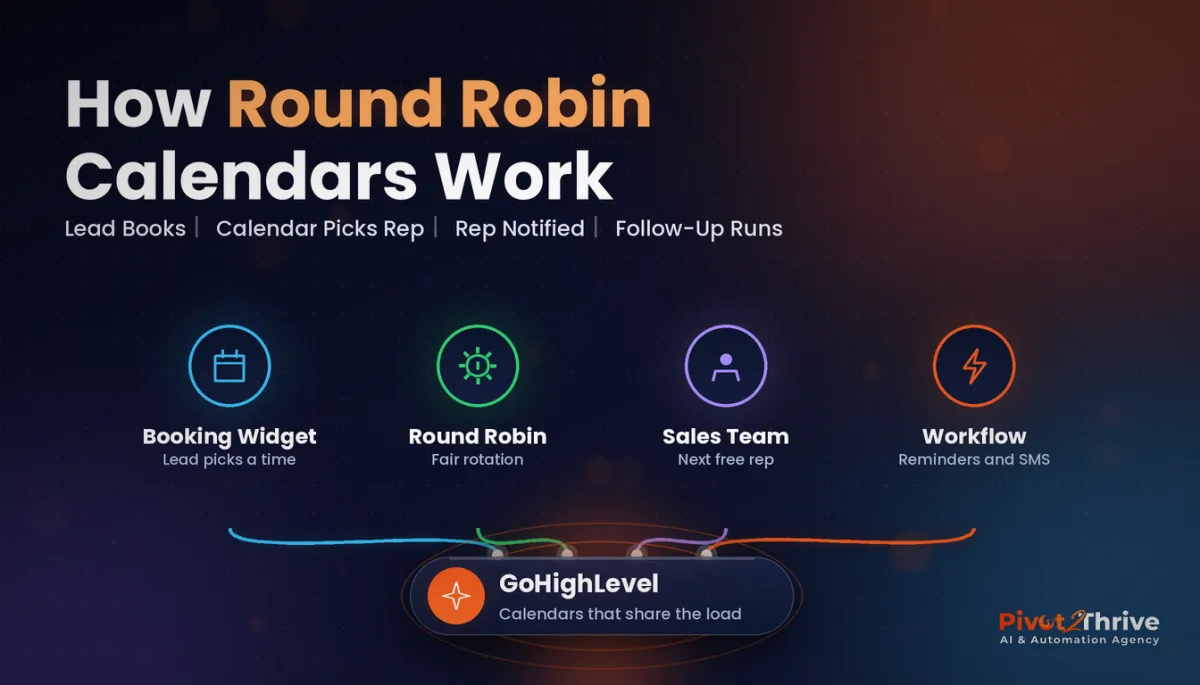
A GoHighLevel round robin calendar is a calendar type that pools the availability of several team members behind one booking widget. The lead picks a time; GoHighLevel decides which team member gets the appointment.
It differs from the other main calendar types:
| Calendar type | Who the lead meets | Best for |
|---|---|---|
| Simple / personal | One named person | Solo consultants, owner-led calls |
| Round robin | One of several team members, assigned automatically | Sales teams, multi-practitioner clinics |
| Collective | Several team members together | Panel interviews, joint discovery calls |
| Class booking | A group session with set seats | Workshops, classes, webinars |
Round robin is the right choice whenever any one of several people could take the call.
Why Round Robin Routing Matters for Speed to Lead
Booking speed is revenue. In Harvard Business Review's 2011 study of 1.25 million sales leads, firms that tried to contact a lead within an hour were nearly seven times as likely to qualify it as firms that waited even an hour longer.
The same HBR research audited 2,241 US companies and found that 23% never responded to a test web lead at all. That usually isn't laziness — it's routing. Leads land in a shared inbox or with one person, and nobody owns them.
Round robin gives every lead an owner at the moment of booking. Pair it with GoHighLevel lead scoring so the hottest prospects reach your best closers first, and read our speed to lead automation guide for the wider picture.
How to Set Up a Round Robin Calendar in GoHighLevel: 7 Steps
Menu labels shift slightly between GoHighLevel releases, but the flow below has been stable. Build it in a test sub-account first if you're doing it for a client.
1. Set each team member's availability first
Round robin can only assign people who are available. Make sure every user has correct working hours, time zone (Australia has several — check your Perth and Brisbane staff) and a connected Google or Outlook calendar so personal appointments block their slots.
2. Create the calendar
Go to Calendars > Calendar Settings > Create Calendar and choose Round Robin. Give it a clear internal name such as "Discovery Call — Sales Team".
3. Add team members and set priority
Select the users who should take these appointments. Where you want a senior closer or a newer rep to get more or fewer bookings, adjust each member's priority rather than building separate calendars.
4. Choose the distribution option
This is the decision that matters most. Optimising for availability gives the lead the most time slots and fastest booking; optimising for equal distribution keeps the share of appointments balanced across the team.
| Distribution option | How it behaves | Choose it when |
|---|---|---|
| Optimise for availability | Shows every slot where anyone is free | Speed and booking rate matter most |
| Optimise for equal distribution | Balances how many bookings each member gets | Reps are paid on commission and fairness matters |
5. Set duration, buffers and booking rules
Set the meeting length, buffer time between calls, minimum notice (so nobody gets booked five minutes from now) and how far ahead leads can book. Two weeks of booking window is plenty for most sales calls — longer windows raise no-show rates.
6. Assign the contact to the booked rep
Turn on the option to assign the contact to the team member who receives the appointment, so the CRM record, conversations and pipeline opportunity all belong to the right person. Decide whether existing owners should be kept or replaced.
7. Build the follow-up workflow
Create a workflow triggered by Appointment Status = Booked on this calendar. Add an internal notification to the assigned user, a confirmation SMS and email to the lead, reminders at 24 hours and 1 hour, and a move into the right pipeline stage. If anything misfires, our GoHighLevel workflow troubleshooting guide walks through the usual suspects.
Want this built for you? Need your calendars, routing and follow-up built properly the first time? Book a free strategy call with Pivot 2 Thrive and we will map it out with you.
Not on HighLevel yet? Start with a free 30-day trial — enough time to build everything in this guide before you pay a cent.
An Australian Example: A Melbourne Solar Sales Team
Here is an illustrative scenario. A Melbourne solar installer has four sales consultants and a single "book a free assessment" page. Previously, every booking went to the sales manager, who forwarded them by email — sometimes the next morning.
After switching to one round robin calendar with equal distribution, each booking was assigned instantly, the rep got an SMS alert and the lead got a confirmation with the rep's name and photo. No more forwarded emails, no more arguments about who got the good leads, and the manager could finally see each rep's show rate in one report.
Common Round Robin Mistakes in GoHighLevel
- Unconnected calendars. If a rep's Google calendar isn't synced, leads get booked over their dentist appointment.
- Wrong time zones. A Perth rep set to Sydney time will show slots three hours out for part of the year.
- No contact assignment. The appointment goes to one rep but the contact stays with the account owner, so follow-up falls through the cracks.
- Too many calendars. One round robin calendar with priorities beats five near-identical calendars that nobody maintains.
- No qualification before booking. Add a short form or an AI lead qualification workflow so reps aren't booked with tyre-kickers.
Frequently Asked Questions About GoHighLevel Round Robin Calendars
What is a round robin calendar in GoHighLevel?
A round robin calendar in GoHighLevel pools several team members' availability behind one booking link. When a lead books, GoHighLevel automatically assigns the appointment to one of those team members.
Should I optimise for availability or equal distribution?
Optimise for availability when speed and booking rate matter most, because leads see every free slot across the team. Optimise for equal distribution when reps are paid on commission and a fair share of appointments matters more.
Can a round robin calendar assign the contact to the rep?
Yes. You can set the calendar to assign the contact to the team member who receives the appointment, so the CRM record, conversations and opportunity are owned by the right person.
Can I give some team members more bookings than others?
Yes. Adjusting each team member's priority on the calendar lets you send more or fewer appointments to specific people without building separate calendars.
Why are no slots showing on my round robin calendar?
Usually a team member's availability, time zone or connected calendar is blocking every slot, or the minimum notice and booking window settings are too tight. Check each user's working hours and calendar sync first.
Do I need a workflow with a round robin calendar?
You don't need one for the booking to work, but you should add one. A workflow triggered by the booked appointment can alert the rep, confirm with the lead, send reminders and update the pipeline.
Want lead routing that just works? Pivot 2 Thrive builds GoHighLevel calendars, workflows and AI follow-up for Australian businesses and agencies. Book a free strategy call or explore pivot2thrive.com.au.
Building it yourself? Try HighLevel free for 30 days and use this guide as your checklist.
Related Articles
Our services
Keep reading
- GoHighLevel Lead Scoring: Set It Up So Hot Leads Get Called First
- GoHighLevel Pipeline Stages: Set-Up Guide
- AI Lead Qualification Workflow in GoHighLevel
- Speed to Lead Automation
- The AI Agency Quarterly Business Review Guide
Everything else
