
GoHighLevel Smart Lists: How to Segment Your Contacts So Every Campaign Lands (2026 Guide)
Last updated: October 2026.
GoHighLevel Smart Lists turn a messy contact database into saved, filtered audiences you can message in two clicks. If you are still blasting every contact with the same email, Smart Lists are the fastest fix in the whole platform.
Some links below are affiliate links — if you sign up through them, Pivot 2 Thrive may earn a commission at no extra cost to you. It never changes what we recommend.
Key takeaway: A Smart List is a saved set of contact filters in GoHighLevel — tags, activity, pipeline stage, custom fields or dates. Build four core lists (hot leads, stalled deals, past clients and do-not-contact), then send campaigns and enrol workflows from those lists instead of your whole database.
On This Page
This guide is written by Dr Priya Jaganathan — Go High Level Certified Admin, Certified AI Tech Stack Consultant and keynote speaker — who builds AI lead-handling systems for Australian businesses through Pivot 2 Thrive. Everything below comes from builds we have shipped, not theory.
What GoHighLevel Smart Lists are (and are not)
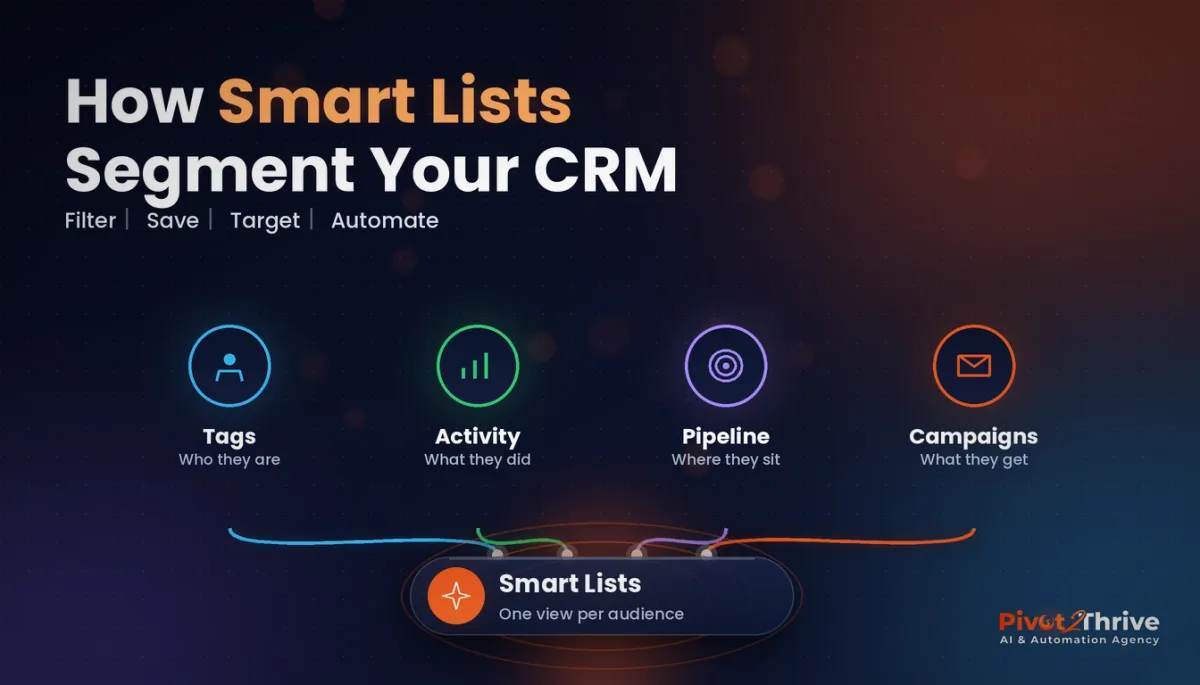
GoHighLevel Smart Lists are saved views of your contacts, defined by filters. Open Contacts, apply filters such as a tag, a date added or a custom field value, and save the result as a named list.
The list is dynamic. Contacts join and leave automatically as they start or stop matching the filters, so a “Hot leads — last 7 days” list is always current without anyone tidying it.
Smart Lists are not workflows. They do not send anything on their own. They are the targeting layer: you pick the list, then run a bulk action such as an SMS, an email, a tag change or enrolment in a workflow.
Why contact segmentation in GoHighLevel pays off
Relevance drives response. In Mailchimp's analysis of segmented campaigns (published 2017), segmented sends recorded 14.31% higher opens and 100.95% higher clicks than the same users' non-segmented campaigns.
Segmentation also protects you. Australia's Spam Act requires consent, sender identification and a working unsubscribe for commercial messages, and a dedicated do-not-contact list makes it far harder to message someone who opted out. Our Spam Act guide for GoHighLevel SMS covers the rules in detail.
And it protects deliverability. Mailing cold, unengaged contacts drags down sender reputation — see our GoHighLevel email deliverability setup.
How to build GoHighLevel Smart Lists: step by step
Follow these steps in a sub-account you control. Exact menu labels shift slightly between GoHighLevel updates, but the flow stays the same.
1. Clean your tags first
Smart Lists are only as good as the data behind them. Merge duplicate tags (“lead”, “Lead”, “new-lead”) and agree a naming pattern such as source-, status- and service-. Ten minutes here saves hours of wrong sends.
2. Open Contacts and add filters
Go to Contacts, open the filter panel and stack conditions. Filters combine, so “tag is status-lead” plus “created in the last 30 days” gives you fresh leads only.
3. Save as a named Smart List
Save the filtered view with a plain-English name that says who is in it: “Hot leads — replied or booked, last 7 days” beats “List 4”. Share it with the users who need it.
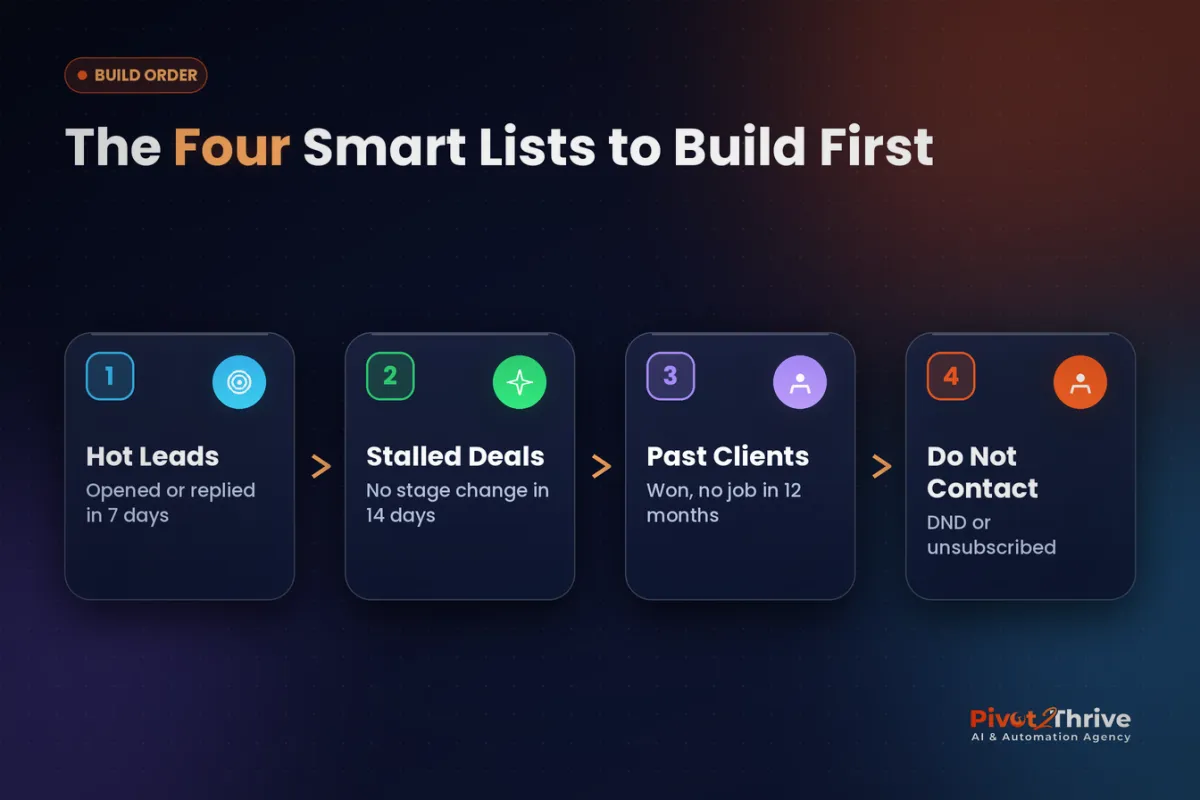
4. Build the four core lists
Start with the first four, add the event list if you run workshops or webinars, then build niche-specific lists later:
| Smart List | Example filters | What you do with it |
|---|---|---|
| Hot leads | Lead tag + recent reply, form submission or booking | Call first; enrol in a short booking sequence |
| Stalled deals | Open opportunity + no stage change for 14+ days | Personal check-in from the owner |
| Past clients | Won tag + last job more than 12 months ago | Seasonal reminder or reactivation offer |
| Do not contact | DND enabled, unsubscribed or opt-out tag | Exclude from every bulk send |
| Event attendees | Event tag + attended / no-show tag | Different follow-up for each group |
5. Run bulk actions from the list
Select the list, select the contacts, and choose the action: add to a workflow, send an SMS or email, or add a tag. Enrolling a list into a workflow is usually better than a one-off blast, because the workflow handles replies, waits and stop conditions.
6. Pair lists with lead scoring
Once you score leads, filter Smart Lists by score so the hottest contacts surface first — the setup in GoHighLevel lead scoring.
7. Review lists monthly
Check counts once a month. A Smart List that suddenly doubles or empties usually means a tag or workflow has changed upstream.
Want your database segmented properly? Book a strategy call with Pivot 2 Thrive and we will design your tags, Smart Lists and follow-up workflows together.
Not on HighLevel yet? Start with a free 30-day trial — enough time to build everything in this guide before you pay a cent.
An Australian agency example using Smart Lists
Consider a Melbourne agency running local AI workshops for trades (an illustrative scenario). Every registrant is tagged by niche, and after the event by attended or no-show.
Two Smart Lists drive the follow-up. Attendees get an audit-booking sequence that references what they saw live. No-shows get the recording and a softer invite to the next session. The workshop format itself is in our AI workshop lead generation guide.
The same agency builds a “past clients — tree services” list for an arborist client and sends a pre-storm-season pruning reminder each spring, as described in AI for arborists and tree services. One database, many audiences, each getting a message that fits.
GoHighLevel Smart List mistakes to avoid
- Building on messy tags. Inconsistent tags mean contacts silently miss the list or land in the wrong one.
- Forgetting to exclude do-not-contact. Always check opt-outs and DND before a bulk send; it is a compliance issue, not just a courtesy.
- Blasting instead of enrolling. One-off bulk messages cannot handle replies or stop conditions. Use workflows for anything multi-step.
- Vague list names. If a team member cannot tell who is in a list from its name, they will send to the wrong one.
Frequently Asked Questions
What is a Smart List in GoHighLevel?
A Smart List is a saved, filtered view of your contacts in GoHighLevel. You define it with filters such as tags, dates, custom fields or activity, and contacts join or leave automatically as they match. You then use the list to send messages or enrol contacts in workflows.
Do GoHighLevel Smart Lists update automatically?
Yes. Smart Lists are based on filters rather than a fixed export, so the membership updates as contact data changes. A contact who gets a new tag or reaches a new date range will appear in matching lists without manual work.
What is the difference between a Smart List and a workflow?
A Smart List decides who; a workflow decides what happens next. Smart Lists are the targeting layer, while workflows send messages, wait, branch on replies and stop when a goal is met. Most good setups pick a Smart List and enrol it into a workflow.
How many Smart Lists should a small business have?
Start with four: hot leads, stalled deals, past clients and do-not-contact. Add more only when you have a specific campaign for them. Too many lists with overlapping filters create confusion about who should receive what.
Can I send SMS to a Smart List in Australia?
Yes, but only to contacts who have consented, and every message must identify your business and offer a working opt-out under the Spam Act. Exclude unsubscribed and DND contacts from every bulk send to stay compliant.
Can my team share Smart Lists?
Yes. Smart Lists can be shared with other users in the sub-account, so your sales and support staff work from the same audiences. Use clear names so everyone knows exactly who each list contains.
Ready to stop messaging everyone the same way? Book a strategy call and we will build your Smart Lists and workflows with you, or explore more at Pivot 2 Thrive.
Building it yourself? Try HighLevel free for 30 days and set up your first four Smart Lists this week.
Related Articles
Our services
Keep reading
- GoHighLevel Lead Scoring: Get Hot Leads Called First
- GoHighLevel Pipeline Stages: See Where Deals Stall
- SMS Marketing and the Spam Act in GoHighLevel
- AI Workshop Lead Generation for Australian Agencies
- AI for Arborists and Tree Services in Australia
Everything else
