
GoHighLevel Invoices and Text2Pay: How to Get Paid Faster Without Chasing (2026 Guide)
Last updated: October 2026.
GoHighLevel invoices and Text2Pay turn the CRM you already use for leads into the place you get paid. If your team still builds invoices in one tool, sends them from another and chases overdue accounts by memory, you are paying for that gap in late cash and wasted admin hours.
Some links below are affiliate links — if you sign up through them, Pivot 2 Thrive may earn a commission at no extra cost to you. It never changes what we recommend.
Key takeaway: GoHighLevel can send branded invoices, recurring invoices and SMS payment links (Text2Pay) straight from a contact record, then chase overdue invoices automatically. Connect a payment provider, build one tax-invoice template, switch on reminders and trigger invoices from your pipeline, and most businesses stop chasing payments by hand.
On This Page
This guide is written by Dr Priya Jaganathan, Go High Level Certified Admin, Certified AI Tech Stack Consultant and keynote speaker, who builds AI and automation systems for Australian service businesses and agencies through Pivot 2 Thrive. Everything below is the setup we use when we move clients off spreadsheets and disconnected billing tools.
What GoHighLevel Invoices and Text2Pay Actually Do
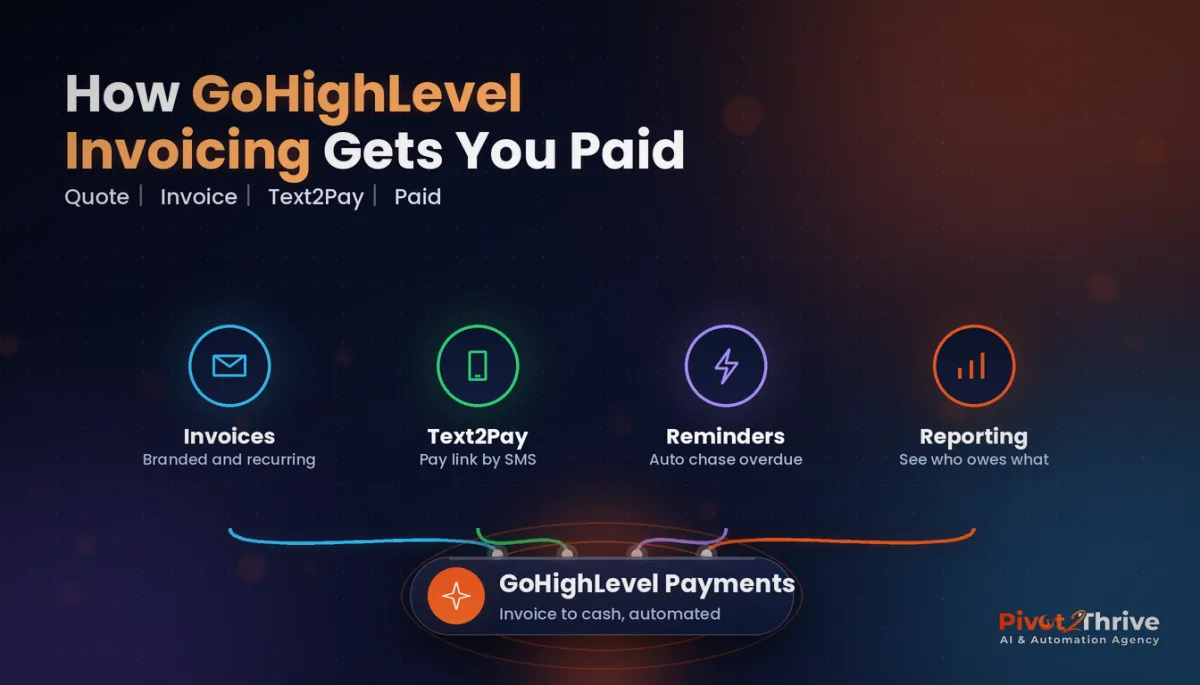
GoHighLevel invoicing is the built-in billing layer of HighLevel Payments. It lets you create an invoice against a contact, brand it with your logo and terms, send it by email or SMS, and record the payment back on the same contact record.
Text2Pay is the fastest version of that: instead of a PDF attachment, the customer gets a text message with a secure payment link. They tap, pay by card and the invoice marks itself paid. No logins, no bank details to copy across.
Around those two sit the features that do the real work: recurring invoices for retainers and memberships, scheduled invoices, payment reminders for overdue accounts, late fees, and reporting on what is outstanding.
Why Getting Paid Faster Matters More in 2026
Late payment is still the norm for Australian small businesses. According to Xero Small Business Insights for the December 2025 quarter, small businesses waited an average of 23.9 days from invoice to payment and were paid 6.6 days late on average. Xero noted that was one of the best results since its series began in 2017, which tells you how normal late payment has become.
The pressure has also moved. With Payday Super in force from 1 July 2026, employers now pay super alongside wages instead of quarterly, so the old habit of covering slow-paying customers with the super float no longer works.
Every day an invoice sits unpaid is a day you fund your customer's business. If you have already mapped your cash flow model for an AI agency, faster collection is the cheapest lever in it.
How to Set Up GoHighLevel Invoices and Text2Pay: 7 Steps
This is the order we build it in for clients. Do it in this sequence and you avoid the classic mistake of automating before the basics are right.
1. Connect a payment provider
Under Payments, connect Stripe or another supported provider. Without a connected gateway, invoices can be sent but nobody can pay them online. Run a $1 test payment to yourself before going live.
2. Set your business and tax details
Australian tax invoices need your ABN, the words "Tax invoice", the date, what was sold and the GST amount. Add your ABN to the business profile and set GST as a tax rate so it calculates on every line item instead of being typed by hand.
3. Build products and one master template
Create your services as products with fixed prices, then build one invoice template with your branding, payment terms and a short thank-you note. One clean template beats five half-finished ones.
4. Turn on Text2Pay for small, fast jobs
For anything under a few hundred dollars, or anything paid on the day, send a Text2Pay link instead of an emailed invoice. It suits trades, mobile services and clinics where the customer is standing in front of you.
5. Set recurring invoices for retainers
Monthly retainers, memberships and payment plans belong on recurring invoices with an end date or a set number of payments. The system issues them on schedule and you stop remembering.
6. Automate reminders and late fees
Switch on payment reminders: one friendly nudge before the due date, one on the day, then follow-ups after. Add a late fee only if your terms already state it. Keep the tone polite; the automation does the persistence for you.
7. Trigger invoices from your pipeline
Link billing to your sales process. When a deal moves to "Won" in your GoHighLevel pipeline stages, a workflow can send the deposit invoice automatically, tag the contact and alert the team. When the invoice is paid, the next workflow books the kickoff.
| Billing need | Best GoHighLevel option | Why |
|---|---|---|
| One-off job paid on the day | Text2Pay link | Customer pays by phone in under a minute |
| Project deposit | Invoice triggered by pipeline stage | No delay between yes and payment |
| Monthly retainer or membership | Recurring invoice | Issues itself on schedule |
| Large project in stages | Invoice with a payment plan | Splits the total into agreed instalments |
| Overdue accounts | Automated reminders (plus late fee if in terms) | Chases politely without staff time |
Want this built without the trial and error? Book a free strategy call with Pivot 2 Thrive and we will map it out with you.
Not on HighLevel yet? Start with a free 30-day trial — enough time to build everything in this guide before you pay a cent.
An Australian Example: A Brisbane Trades Business
Picture a small Brisbane electrical business. Before, the owner quoted on site, typed invoices into accounting software at night and sent reminders when they remembered, usually weeks later.
After the switch, the tradie sends a Text2Pay link before leaving the job. Bigger jobs get a deposit invoice the moment the quote is accepted in the pipeline, and reminders run on their own. The owner stops doing billing at the kitchen table, and the office can see every outstanding dollar in one view.
The same pattern works for agencies billing retainers, clinics collecting gap payments and mobile services such as car detailing businesses taking deposits.
Common GoHighLevel Invoicing Mistakes to Avoid
- Skipping the test payment. A misconfigured gateway means customers hit an error at the exact moment they want to pay.
- Missing tax-invoice details. No ABN or GST line creates rework for your bookkeeper and your customer's.
- Aggressive reminders. Five reminders in three days damages relationships. Space them out and keep the wording warm.
- Two sources of truth. Decide whether your accounting software or GoHighLevel issues invoices, and sync the other.
- No error checks. When a billing workflow fails silently, nobody notices. Use our GoHighLevel workflow troubleshooting guide to audit it monthly.
Frequently Asked Questions
Can GoHighLevel send invoices by SMS?
Yes. Text2Pay sends a secure payment link by text message, and standard invoices can also be sent by SMS or email. The customer pays by card from the link and the invoice is marked paid on their contact record.
Do I need Stripe to use GoHighLevel invoices?
You need a connected payment provider to accept online payments, and Stripe is the most common choice. You can still create and send invoices without one, but customers will not be able to pay them online.
Can GoHighLevel invoices include GST for Australia?
Yes. Set GST up as a tax rate and apply it to your products so it calculates on each line. Add your ABN and use the words "Tax invoice" so the document meets Australian tax invoice requirements.
Does GoHighLevel support recurring invoices?
Yes. Recurring invoices can issue weekly, monthly or on a custom schedule, with an end date or a set number of payments. They suit retainers, memberships and payment plans.
Will GoHighLevel chase overdue invoices automatically?
Yes. You can turn on payment reminders before and after the due date and, if your terms allow, add late fees. The reminders stop once the invoice is paid.
Should I replace my accounting software with GoHighLevel invoicing?
Usually not. Keep your accounting software for bookkeeping, BAS and reconciliation, and use GoHighLevel to issue and collect. Decide which system is the source of truth and sync the other so you never double-invoice.
Ready to stop chasing invoices? Book a free strategy call and we will map your quote-to-cash flow inside GoHighLevel, or explore more systems at pivot2thrive.com.au.
Want to build it yourself first? Try HighLevel free for 30 days.
Related Articles
Done-for-you services
Keep reading
- AI for Car Detailing Businesses in Australia (2026 Guide)
- LinkedIn Outreach for AI Agencies in Australia (2026 Guide)
- GoHighLevel Pipeline Stages: How to Set Them Up (2026 Guide)
- AI Agency Cash Flow: The 90-Day Model That Keeps You Solvent
- How to Troubleshoot GoHighLevel Workflows
Everything else
