
GoHighLevel Appointment Reminders: Cut No-Shows With Workflows That Confirm Every Booking (2026 Guide)
Last updated: November 2026.
 By Dr Priya Jaganathan, Certified AI Tech Stack Consultant · Pivot 2 Thrive · Updated 11 November 2026 · 7 min read
The reminder sequence I build for clients, step by step: timing, two-way confirmations, reschedule links and the Australian time-zone traps.
GoHighLevel appointment reminders are the cheapest fix for no-shows most Australian businesses will ever make. Every empty slot is a lost fee and a wasted staff hour, and most of them happen because someone simply forgot.
GoHighLevel can send reminders two ways: the calendar's built-in notifications, and workflows. This guide shows how I set up the workflow version, because it is the one that confirms bookings, not just announces them.
Some links below are affiliate links — if you sign up through them, Pivot 2 Thrive may earn a commission at no extra cost to you. It never changes what we recommend.
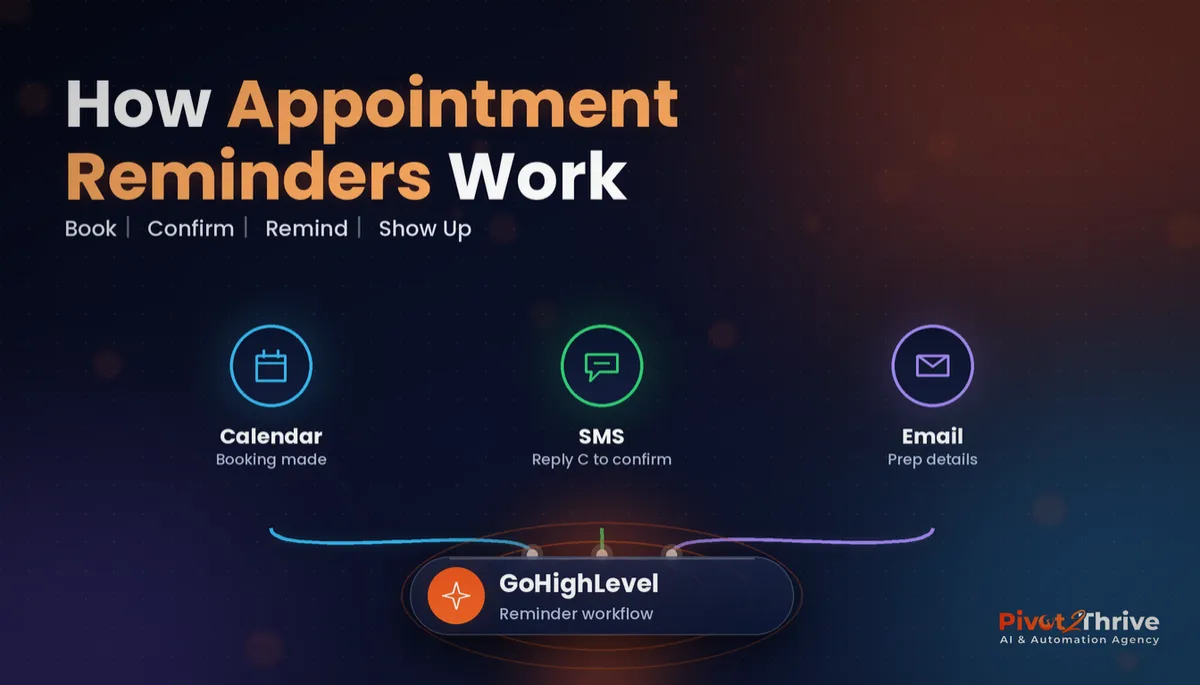
Build GoHighLevel appointment reminders as a workflow triggered by the booking, with an SMS 24 hours before that asks the client to reply to confirm, an email with prep details, and a short SMS two hours before. Include the reschedule link in every message, and set the calendar and sub-account time zones correctly for each Australian state.
I'm Dr Priya Jaganathan — Go High Level Certified Admin, Certified AI Tech Stack Consultant and keynote speaker. At Pivot 2 Thrive I build these systems for Australian businesses every week, so this guide is written from the build, not the brochure.
GoHighLevel appointment reminders are automated messages tied to every booking
GoHighLevel appointment reminders are SMS, email or WhatsApp messages sent automatically before a booked appointment, timed from the appointment's start time. They pull the details straight from the booking, so every client gets the right date, time, location and links.
The calendar's own notification settings can send a basic reminder. A workflow goes further: it can ask for a confirmation, react to the reply, tag no-shows and alert your team.
If your bookings come from several staff calendars, set up GoHighLevel round robin calendars first, then add the reminders on top.
Why appointment reminder automation pays for itself
The evidence for reminders is strong. A 2011 systematic review of 29 studies by Hasvold and Wootton in the Journal of Telemedicine and Telecare found that all but one reported a benefit from reminding patients before hospital appointments.
The same review found little difference between a reminder the day before and one a week before, which is why I use more than one touch rather than agonising over the perfect hour.
Clinics feel this most, and my guide to reducing no-shows with AI appointment reminders covers the clinic side. But trades quotes, discovery calls and holiday program days all benefit in the same way.
How to build GoHighLevel appointment reminders in 7 steps
This takes about an hour in one sub-account. Build it once, test it, then save it into your snapshot so every new client gets it.
1. Set the time zones first. Check the sub-account time zone in Business Profile and the calendar's own time zone. Queensland and Western Australia do not use daylight saving, so a Brisbane business with Sydney clients needs this right or reminders land an hour out.
2. Turn off duplicate calendar notifications. If the calendar already sends reminders and you add a workflow, clients get both. Pick the workflow for anything beyond a simple notice.
3. Create the workflow trigger. Use the Customer Booked Appointment trigger, filtered to the calendars this sequence applies to. Add an Appointment Status trigger for cancellations so the sequence stops when a booking is cancelled.
4. Add the confirmation SMS. Use a Wait step set to the appointment time with a 24-hour-before offset, then an SMS with the date, time and address from the appointment custom values, plus "Reply C to confirm or tap here to reschedule" with the reschedule link.
5. Handle the replies. In a second workflow, use a Customer Replied trigger filtered to messages containing "C" or "Yes", then update the appointment status to confirmed and tag the contact. Anything else goes to the team as a task so a person reads it.
| Message | Timing | Channel | Purpose |
|---|---|---|---|
| Booking confirmation | Immediately | Email and SMS | Details, calendar invite, reschedule link |
| Confirm request | 24 hours before | SMS | Two-way "Reply C to confirm" |
| Prep details | 24 hours before | Parking, what to bring, forms | |
| Final nudge | 2 hours before | SMS | Short reminder with address |
| No-show follow-up | After the slot | SMS | Friendly rebooking link |
6. Add the two-hour nudge and no-show path. A second Wait step to two hours before sends a one-line SMS. If the appointment is marked no-show, a separate branch sends a rebooking link and tags the contact for follow-up.
7. Test with a real booking. Book yourself into a slot three hours away, check every message arrives, reply C and confirm the status changes. Save reply templates with GoHighLevel snippets so your team answers reschedule requests quickly.
Keep reminders factual: the business name, time, place and links. If you add promotional content, the Spam Act's consent and unsubscribe rules, enforced by ACMA, apply.
A reminder announces the appointment. A confirmation workflow tells you who is actually coming while there is still time to fill the gap.
Not on HighLevel yet? Start with a free 30-day trial — enough time to build everything in this guide before you pay a cent.
An Australian example: a Hobart physio clinic
Here is an illustrative scenario, not a real client. A two-practitioner physiotherapy clinic in Hobart sends one email reminder the day before, and loses several sessions a week to clients who forget.
They switch to the workflow above: an SMS confirm request at 24 hours, a prep email with parking details, and a two-hour SMS nudge. Unconfirmed bookings show up on a list the front desk checks each afternoon.
Day to day, reception calls only the handful who have not confirmed, instead of ringing everyone. Freed slots get offered to the clinic's waitlist the same afternoon.
The owner notices fewer gaps in the diary and a calmer front desk, and the same workflow now runs for their Pilates classes.
GoHighLevel reminder mistakes to avoid
- Wrong time zone. Reminders that arrive an hour early or late confuse clients. Check both sub-account and calendar settings.
- Double reminders. Calendar notifications plus a workflow means two of everything. Choose one source.
- No reschedule link. Clients who cannot make it will simply not come if changing the time takes a phone call.
- Ignoring replies. A reply that is not "C" is often a question. Route it to a person, not a void.
- Not stopping on cancel. Without a cancellation trigger, people get reminded about appointments they already cancelled.
Running holiday programs or classes? See how the same reminders work in AI for school holiday programs.
Frequently Asked Questions
How do I set up appointment reminders in GoHighLevel?
Create a workflow with the Customer Booked Appointment trigger, add a Wait step timed to the appointment with an offset such as 24 hours before, then send an SMS or email using the appointment custom values. Test it with a real booking before switching it on for clients.
Should I use calendar notifications or workflows for reminders?
Calendar notifications are fine for a single basic reminder. Use a workflow when you want two-way confirmations, multiple touches, no-show follow-up or team alerts, and turn off the calendar reminders so clients do not get duplicates.
How far before an appointment should reminders be sent?
A common pattern is a confirmation request 24 hours before and a short SMS about two hours before. Research on hospital appointments found little difference between a reminder the day before and a week before, so focus on a clear message and a confirmation step.
Can clients confirm an appointment by replying to a GoHighLevel SMS?
Yes. Use a Customer Replied trigger filtered to replies such as "C" or "Yes", then update the appointment status to confirmed and tag the contact. Send any other reply to a team member as a task.
Why are my GoHighLevel reminders arriving at the wrong time?
The usual cause is a mismatch between the sub-account time zone and the calendar time zone. Queensland and Western Australia do not observe daylight saving, so check both settings, especially if your clients are in other states.
Do appointment reminders need an unsubscribe option in Australia?
Purely factual reminders about a booked appointment are generally treated differently from marketing. If a reminder includes promotional content, the Spam Act's consent, sender identification and unsubscribe rules apply, so keep reminders factual or seek advice.
Still deciding on a platform? Try HighLevel free for 30 days and build this reminder workflow in your first week.
Related Articles
Our services
- PowerPivot Leads Pro — AI lead generation and follow-up
- AI Receptionist Agent — answer every call, 24/7
Keep reading
 How to Reduce No-Shows with AI Appointment Reminders
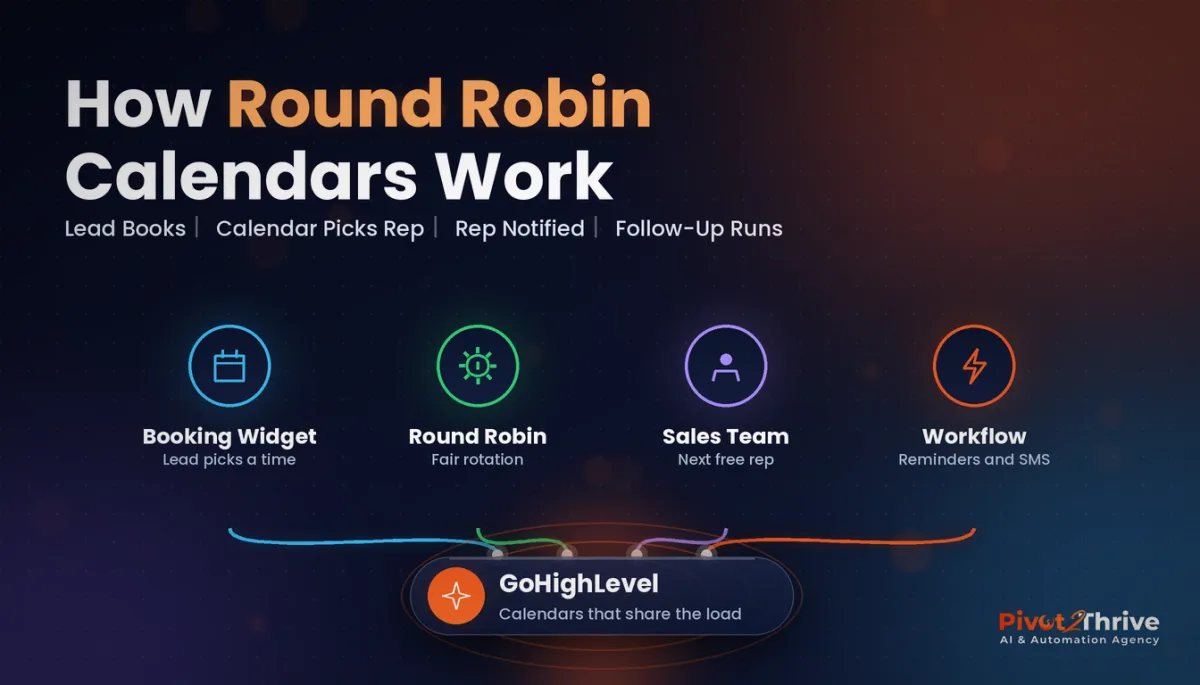 GoHighLevel Round Robin Calendars: Share Leads Fairly Across Your Team
 GoHighLevel Snippets: Reply Faster With Saved Messages
 GoHighLevel Forms: Build Enquiry Forms That Qualify and Route Leads
 AI Agency First Hire: Who I Would Hire First (and When)
Everything else