GoHighLevel IVR: Set Up a Phone Menu That Routes Every Call to the Right Person (2026 Guide)
Last updated: October 2026.
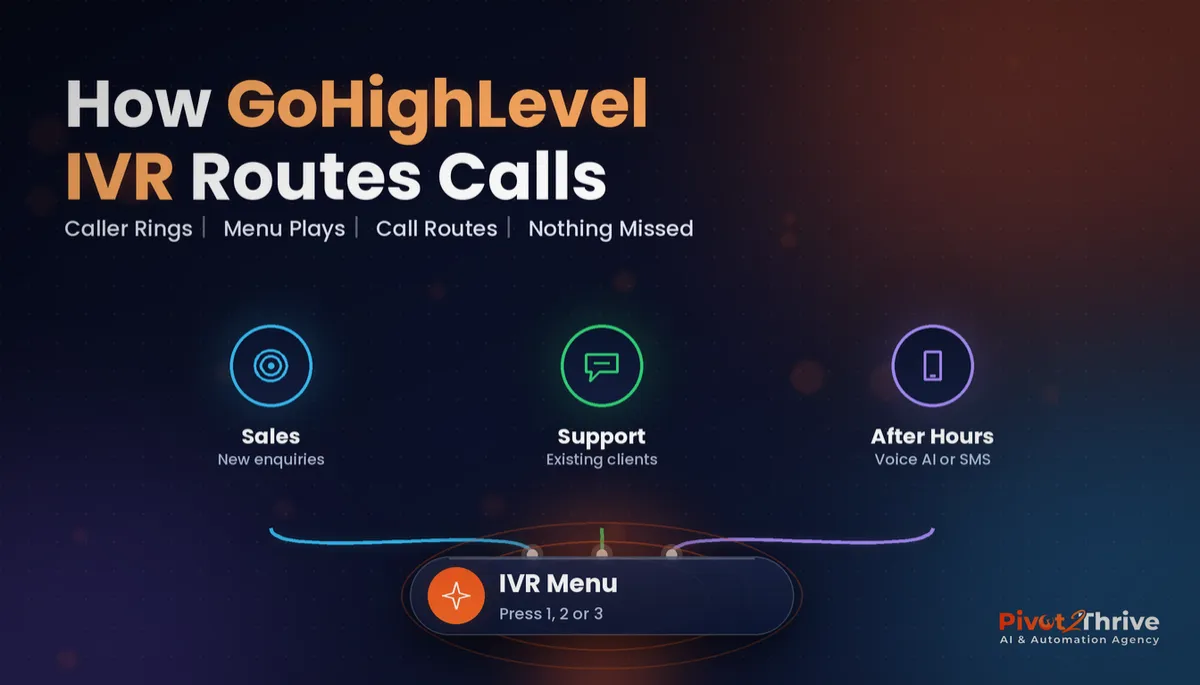
A GoHighLevel IVR (interactive voice response) menu lets callers press 1, 2 or 3 to reach the right person, so new enquiries, existing clients and after-hours calls stop landing on the same overloaded phone.
If your business has outgrown one mobile number but is not ready for a call centre, this is the setup I would build first.
Some links below are affiliate links — if you sign up through them, Pivot 2 Thrive may earn a commission at no extra cost to you. It never changes what we recommend.
Key takeaway: A GoHighLevel IVR is a phone menu inside HighLevel that routes callers to sales, support or an after-hours flow based on a keypad press. Keep it to two or three options, check your business hours, and give every branch a voicemail-plus-SMS fallback.
On This Page
This guide is written by Dr Priya Jaganathan, Go High Level Certified Admin, Certified AI Tech Stack Consultant and keynote speaker on AI for Australian business. She builds AI and automation systems for Australian service businesses through Pivot 2 Thrive, so what follows comes from real builds, not theory.
What a GoHighLevel IVR Actually Is
GoHighLevel IVR is a call-flow builder inside the HighLevel phone system. It plays a greeting, listens for a keypad press or spoken input, and then connects the call, plays a message, records a voicemail or triggers a follow-up based on the caller's choice.
Because it lives in the same platform as your CRM, every call is tied to a contact record. Missed calls, voicemails and follow-up texts all appear in one place, alongside the GoHighLevel Conversations inbox.
Menu names and screens in HighLevel change from time to time, so treat the steps below as the logic to build rather than a click-by-click map.
Why IVR Call Routing Matters for Growing Businesses
Unanswered calls are expensive, and voicemail rarely saves them. Moneypenny's 2016 Small Business Call Report, which combined a survey of 300 micro businesses with call data from 10,000 businesses, found that 69% of callers who reached voicemail hung up without leaving a message. The same report found a third of the businesses surveyed failed to answer incoming calls.
The data is a few years old and comes from a call-answering provider, but the behaviour it describes is familiar to anyone who runs a service business.
An IVR fixes the routing half of the problem. Sales calls go to the person who can quote, support calls go to the person who can help, and after-hours calls go to an AI receptionist or a voicemail-plus-SMS flow instead of ringing out.
How to Set Up a GoHighLevel IVR, Step by Step
Here is the build order I use. Keep the first version small; you can always add options later.
1. Map the call flow on paper first
Write down the two or three reasons people call you. Most small businesses need no more than three options: new enquiries, existing clients and everything else. Every extra option adds friction for the caller.
2. Check your number and business hours
Make sure the HighLevel number you will use is active and connected to your sub-account, and that your business hours and time zone are set correctly. An IVR that thinks it is in a US time zone will send Australian callers to after-hours at lunchtime.
3. Build the IVR flow
In the HighLevel automation builder, create an IVR flow. A typical structure looks like this:
- Greeting: a short welcome that names the business.
- Business-hours check: open hours go to the menu; closed hours go to the after-hours branch.
- Gather input: "Press 1 for a new quote, press 2 if you are an existing client."
- Connect the call to the right user or team for each option, with a sensible ring timeout.
- Fallback: if nobody answers, record a voicemail and send the caller a text so the lead stays warm.
4. Attach the IVR to your phone number
In your phone number settings, set incoming calls to use the IVR flow you just built. Without this step, calls keep ringing the old way.
5. Add follow-up automation
Use workflows to tag callers by the option they chose and send a missed-call text when a call is not answered. The missed-call text back guide covers the message and timing.
For teams, combine the IVR with round robin calendars so new enquiries are shared fairly.
6. Write a short, human script
Keep the greeting under 15 seconds. Name the business, give no more than three options and put the most common reason first. Record it in a natural voice or use a clear text-to-speech voice with Australian pronunciation checked.
7. Test every branch before going live
Call the number from a mobile and try every option, inside and outside business hours. Confirm that voicemails are recorded, texts are sent and contacts are created correctly.
Here is how the main call-handling options compare:
| Option | Best for | Watch out for |
|---|---|---|
| Single number, rings one phone | Sole traders with low call volume | Every call competes with the work you are doing |
| GoHighLevel IVR menu | Small teams with distinct call types | Too many options frustrate callers |
| IVR plus AI voice agent after hours | Businesses with evening and weekend demand | Needs a tested script and a human handover |
| AI voice agent answers every call | High-volume, repetitive enquiries | Higher setup effort; review calls regularly |
Want your GoHighLevel phone system, IVR and after-hours AI receptionist set up properly the first time? Book a free strategy call with Pivot 2 Thrive.
Not on HighLevel yet? Start with a free 30-day trial — enough time to build everything in this guide before you pay a cent.
An Australian Example: A Multi-Location Physio Practice
Picture a physiotherapy practice with two clinics in Perth. Reception juggles new-patient enquiries, rescheduling requests and calls from other clinicians, all on one line.
With a GoHighLevel IVR, option 1 goes to new-patient bookings, option 2 handles existing appointments, and after-hours calls go to an AI voice agent that books into the calendar. For the voice side, the GoHighLevel Voice AI setup guide walks through the build.
This is an illustrative scenario rather than a named client, but it shows the core benefit: reception handles fewer misrouted calls, and fewer callers hang up.
Common GoHighLevel IVR Mistakes to Avoid
- Too many menu options. More than three or four choices and callers start pressing 0 or hanging up.
- Wrong time zone. Double-check business hours and time zone in the sub-account settings.
- No fallback. Every branch needs a voicemail and text follow-up if nobody answers.
- Long greetings. Nobody wants a 40-second welcome message before they can speak to someone.
- Never testing after changes. Re-test every branch whenever you edit the flow or change staff.
Frequently Asked Questions
Does GoHighLevel have an IVR?
Yes. GoHighLevel's phone system includes an IVR builder that plays a greeting, collects keypad or spoken input and routes the call based on the caller's choice. It connects to your CRM so each call is linked to a contact.
How many options should an IVR menu have?
Keep it to two or three options for most small businesses. Put the most common reason for calling first, and make sure there is a clear path for anything that does not fit.
Can GoHighLevel IVR route calls after hours?
Yes. A business-hours check can send calls outside opening hours to a voicemail, an SMS follow-up or an AI voice agent, while calls during business hours go to the menu.
What happens if nobody answers an IVR call?
You decide in the fallback step. The best setup records a voicemail, creates or updates the contact, and sends the caller a text so the conversation can continue.
Is an IVR better than an AI receptionist?
They do different jobs. An IVR routes callers to the right person, while an AI receptionist holds a conversation and can book appointments. Many businesses use an IVR during business hours and an AI receptionist after hours.
Can I use an Australian phone number with GoHighLevel IVR?
Yes, HighLevel supports Australian numbers, although availability and regulatory requirements can vary by number type. Check your number status in the phone settings before building the flow.
Ready to stop losing calls to the wrong phone? Book a free strategy call with Pivot 2 Thrive.
Find out more about how we build GoHighLevel systems for Australian businesses at Pivot 2 Thrive. Setting it up yourself? Try HighLevel free for 30 days.
Related Articles
Pivot 2 Thrive services
Keep reading on the blog
- GoHighLevel Voice AI Setup Guide
- GoHighLevel Conversations: One Inbox for Every Channel
- Missed-Call Text Back for Australian Businesses
- AI for Handyman Businesses in Australia
- Email Newsletters for AI Agencies
Everything else
