GoHighLevel Communities: Build a Members-Only Space That Keeps Clients Engaged (2026 Guide)
Last updated: October 2026.
GoHighLevel Communities lets you run a members-only space for clients, students or customers inside the same platform as your CRM, funnels and courses. No more paying for a separate community tool, and no more leaving your best customers in a Facebook group you don't control.
Some links below are affiliate links — if you sign up through them, Pivot 2 Thrive may earn a commission at no extra cost to you. It never changes what we recommend.
Key takeaway: GoHighLevel Communities gives you groups, channels, gamification and workflow-driven access in one place. Set up one group, five channels, simple points rules and an automated welcome, and you have an owned community that keeps clients engaged and paying.
On This Page
I'm Dr Priya Jaganathan — Go High Level Certified Admin, Certified AI Tech Stack Consultant and keynote speaker. At Pivot 2 Thrive I build these systems for Australian businesses every week, so this guide is written from the build, not the brochure.
What GoHighLevel Communities actually are
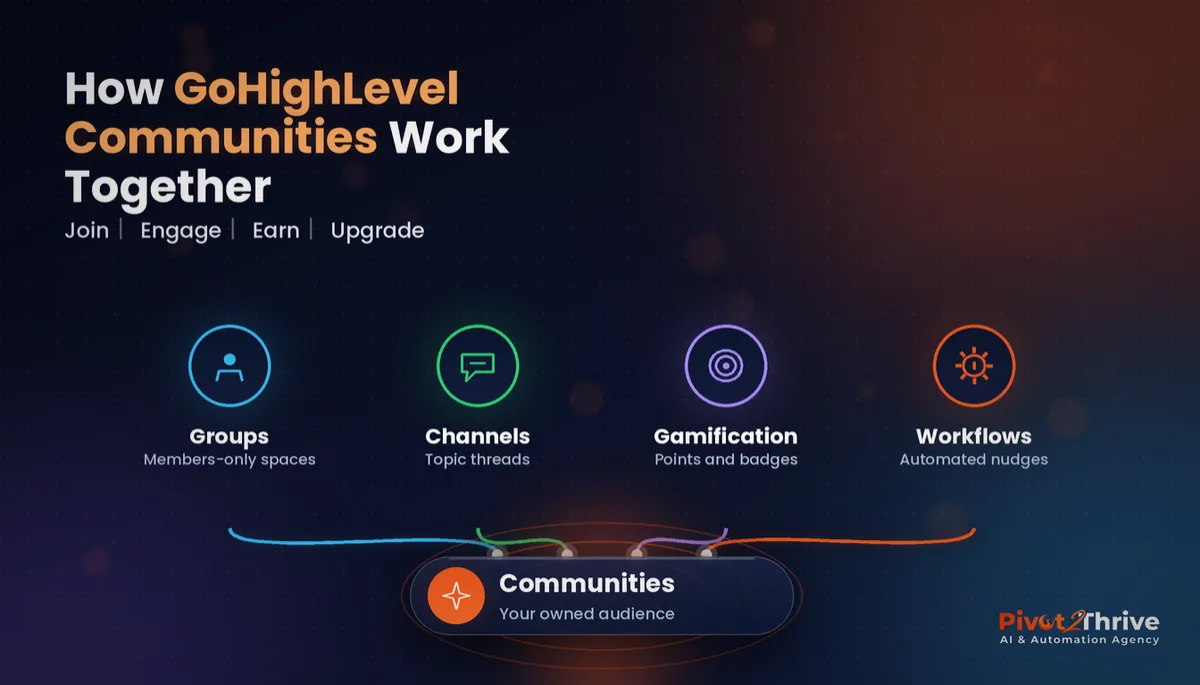
GoHighLevel Communities is HighLevel's built-in community platform, found in the Memberships area of a sub-account. You create groups (a community space), split them into channels (topic threads), and control who gets in with public, private or paid access.
It sits alongside GoHighLevel Memberships and Courses, so a course buyer can get both the lessons and a place to ask questions, all with one login.
Because it lives in your CRM, every member is also a contact. You can see who is active, tag them, segment them and trigger automations from what they do.
Why an owned community beats a Facebook group
Most small businesses run their community on Facebook because it is free and familiar. The trade-off is control: the platform decides who sees your posts, you can't easily export your member list, and your community data never connects to your sales pipeline.
An owned community fixes all three. Your member list lives in your CRM, your posts reach members without an algorithm in the way, and engagement can trigger follow-up such as an upgrade offer or a check-in from your team.
It is also a retention tool. Clients who talk to each other, share wins and get answers quickly feel part of something, which makes them far less likely to cancel than clients who only ever see an invoice.
How to set up GoHighLevel Communities in 7 steps
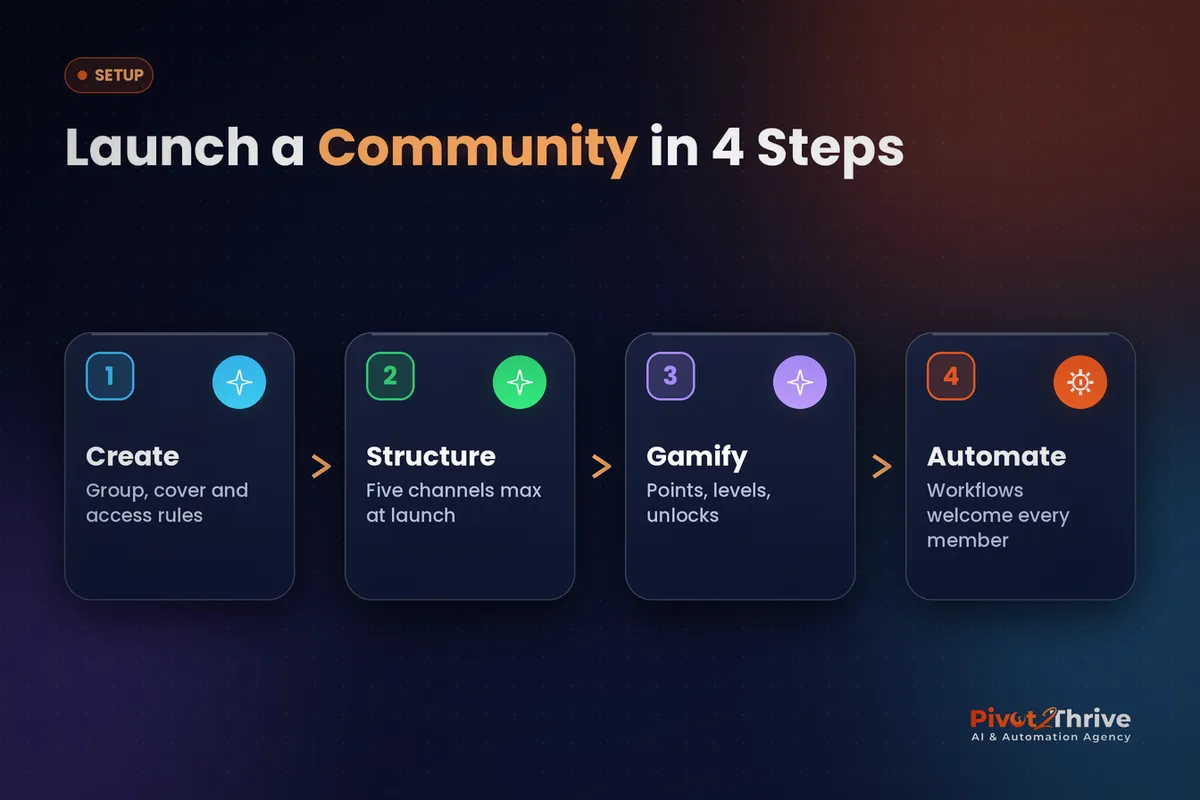
Here is the setup I use when building a community for a client. Plan an afternoon for the first version.
1. Create the group. In Memberships, open Communities and create a new group. Give it a clear name, a cover image and a one-line description of who it is for and what members get.
2. Choose the access model. Decide whether the group is public, private (approval or invitation only) or paid. Use the table below to pick.
| Access model | How members join | Best for |
|---|---|---|
| Public | Anyone with the link can join | Lead generation and free audiences |
| Private | Request to join or invitation | Existing clients and cohorts |
| Paid | Granted by a workflow after purchase | Coaching programs and memberships |
3. Build no more than five channels at launch. Too many channels make a new community feel empty. I start with Welcome and introductions, Announcements, Questions, Wins, and Resources. Add more only when a topic keeps overflowing.
4. Set up gamification. Communities includes points, badges and a leaderboard. Keep the rules simple: members earn points for posting and commenting, and higher levels earn a bonus such as a template pack or a monthly group call.
5. Automate access with workflows. Use the Group Access Granted trigger to start a welcome sequence, and grant access automatically after a purchase or form submission. When a client cancels, a workflow can revoke access so you never manage the member list by hand. This works neatly with the segments in GoHighLevel Smart Lists.
6. Write the first ten posts before inviting anyone. Nobody wants to be the first person in an empty room. Seed the community with a welcome video, a pinned "start here" post, a few resources and a question that is easy to answer.
7. Promote it everywhere you already talk to clients. Add the community link to onboarding emails, your email campaigns, invoices and call follow-ups. Then post at least three times a week for the first month so members build the habit of checking in.
Want your community built and automated for you? Book a free strategy call with Pivot 2 Thrive and we will plan your groups, channels and access workflows.
Not on HighLevel yet? Start with a free 30-day trial — enough time to build everything in this guide before you pay a cent.
An Australian example: a Perth fitness coach
Here is an illustrative scenario. A Perth fitness coach sells a 12-week online program through a HighLevel funnel. Previously, clients got their workouts by email and questions arrived as scattered DMs, so the coach spent evenings answering the same questions one by one.
The coach sets up a private group with five channels and a workflow that grants access the moment a payment clears. New members get a welcome message, a pinned "start here" post and a prompt to share their goal in the introductions channel.
Gamification does the rest. Members earn points for posting weekly check-ins, and reaching a higher level earns a bonus nutrition guide. Questions are now answered once, in public, where everyone benefits.
When the 12 weeks end, a workflow moves graduates into an alumni channel and offers an ongoing membership. The community becomes the upsell, rather than a cost centre.
GoHighLevel Communities mistakes to avoid
- Launching to an empty room. Seed content first, then invite members.
- Too many channels. Fifteen channels with two posts each feels abandoned. Start with five.
- Manual access management. Adding and removing members by hand guarantees mistakes. Use group access workflows.
- Points with no purpose. Gamification only works if levels lead to something members actually want.
- The owner disappears. If you stop posting in month two, members stop too. Schedule your posts and use your GoHighLevel mobile app to reply on the go.
Frequently Asked Questions
Where do I find Communities in GoHighLevel?
Communities sits inside the Memberships area of your HighLevel sub-account. From there you create groups, add channels and manage members and gamification settings.
Can I charge for access to a GoHighLevel community?
Yes. You can make a group private and grant access after a purchase or form submission using a workflow. Paid communities are a common way coaches and agencies add recurring revenue without another platform.
Can workflows add people to a community automatically?
Yes. HighLevel's workflow builder has group access triggers and actions, including Group Access Granted and Group Access Revoked, plus grant and revoke actions for private channels. That lets you automate onboarding, offboarding and upgrades.
How does gamification work in GoHighLevel Communities?
Members earn points for activity such as posting and commenting, collect badges for milestones and appear on a leaderboard. You can use levels to reward your most engaged members, for example by giving them access to bonus content.
Is a GoHighLevel community better than a Facebook group?
For a business, usually yes, because you own the member list and the data sits in your CRM next to each contact's history. Facebook groups still have discovery advantages, so some businesses use Facebook for reach and HighLevel for paying members.
Do members need a separate app?
Members can access the community through a web browser, and HighLevel also supports mobile access through its client app options. Check your agency's white-label app settings if you want your own branding.
Ready to build a community your clients actually use? Book a free strategy call or explore more HighLevel systems at Pivot 2 Thrive. Pair your community with an AI agency client referral program and engaged members become your best source of new clients.
Still deciding on a platform? Try HighLevel free for 30 days and set up your first community group this week.
Related Articles
Our services
- PowerPivot Leads Pro — AI lead generation and follow-up
- AI Receptionist Agent — answer every call, 24/7
Keep reading
- GoHighLevel Memberships and Courses
- GoHighLevel Email Campaigns: Nurture Leads Until They Book
- GoHighLevel Smart Lists: Segment Your Contacts
- GoHighLevel Mobile App Guide
- AI Agency Client Referral Program
Everything else
