GoHighLevel Mobile App: Run Your CRM, Calls and Bookings From Your Phone (2026 Guide)
Last updated: October 2026.
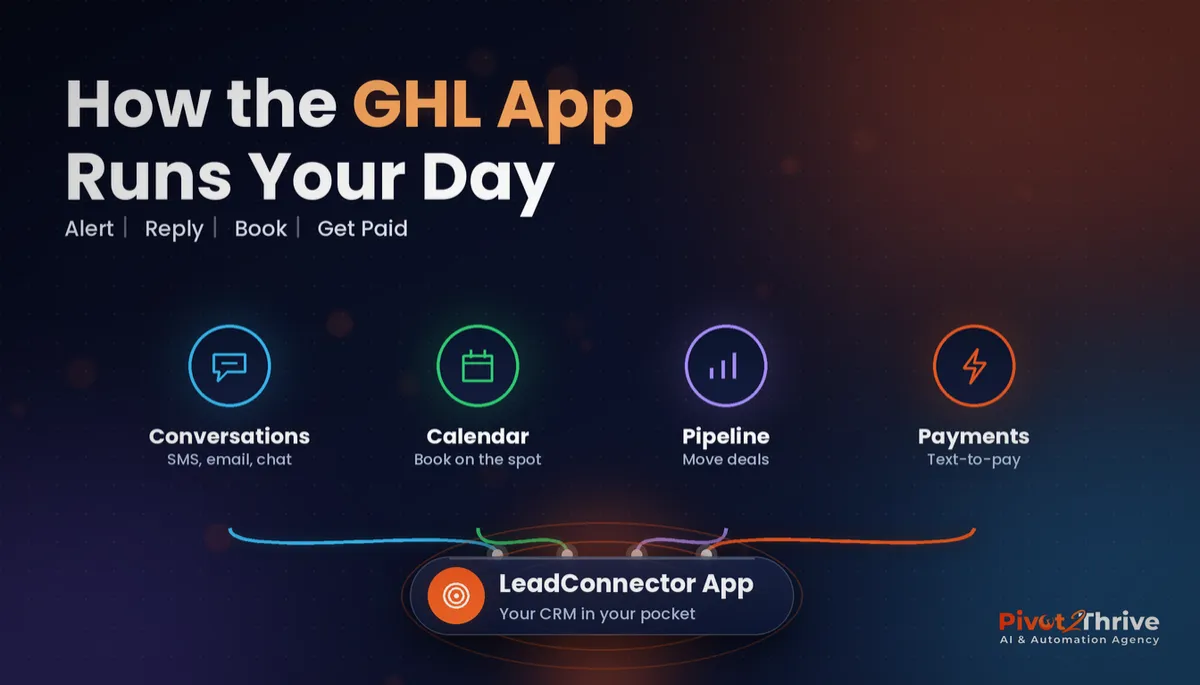
The GoHighLevel mobile app — published as LeadConnector in the App Store and Google Play — puts your conversations, contacts, calendar and pipeline in your pocket. For Australian business owners who spend their day on site, in sessions or on the road, it is the difference between replying to a new lead in two minutes and replying at 9pm.
Some links below are affiliate links — if you sign up through them, Pivot 2 Thrive may earn a commission at no extra cost to you. It never changes what we recommend.
Key takeaway: The GoHighLevel mobile app (LeadConnector) lets you reply to SMS, email and chat, call leads, book appointments, move opportunities and send invoices from your phone. Set it up properly — push notifications on for new leads only, conversations assigned to the right user, and templates saved — and it becomes the fastest way to follow up while you're away from the desk.
On This Page
I'm Dr Priya Jaganathan — a Go High Level Certified Admin, Certified AI Tech Stack Consultant and keynote speaker. I set up the LeadConnector app for almost every Pivot 2 Thrive client, because the best automation in the world still needs a human to step in quickly when a hot lead replies.
What the GoHighLevel Mobile App Is (and Isn't)
The GoHighLevel mobile app is the official phone app for HighLevel accounts, listed as LeadConnector. You log in with the same email and password as your HighLevel account and see the sub-accounts you have access to.
It is built for doing the day-to-day work: replying to conversations, calling contacts, checking the calendar, updating deals and taking payments. It is not where you build workflows, funnels or AI agents — that still happens in the desktop or browser version.
Agencies can also offer a white-labelled version of the app under their own brand, but most small businesses simply use LeadConnector.
Why the GoHighLevel App Matters for Speed to Lead
Your customers already live on their phones. The Australian Communications and Media Authority's 2025 consumer research found 97% of Australian adults went online using a mobile phone, up from 95% in 2024 (ACMA, Communications and media in Australia, released February 2026).
That means enquiries arrive by SMS, Facebook message and web chat at all hours — and they expect a quick, personal reply. Automation handles the first touch; the app lets you take over the moment a lead asks a real question.
It is the human half of speed to lead automation. Without it, warm conversations sit unanswered until you're back at a laptop.
How to Set Up the GoHighLevel Mobile App in 7 Steps
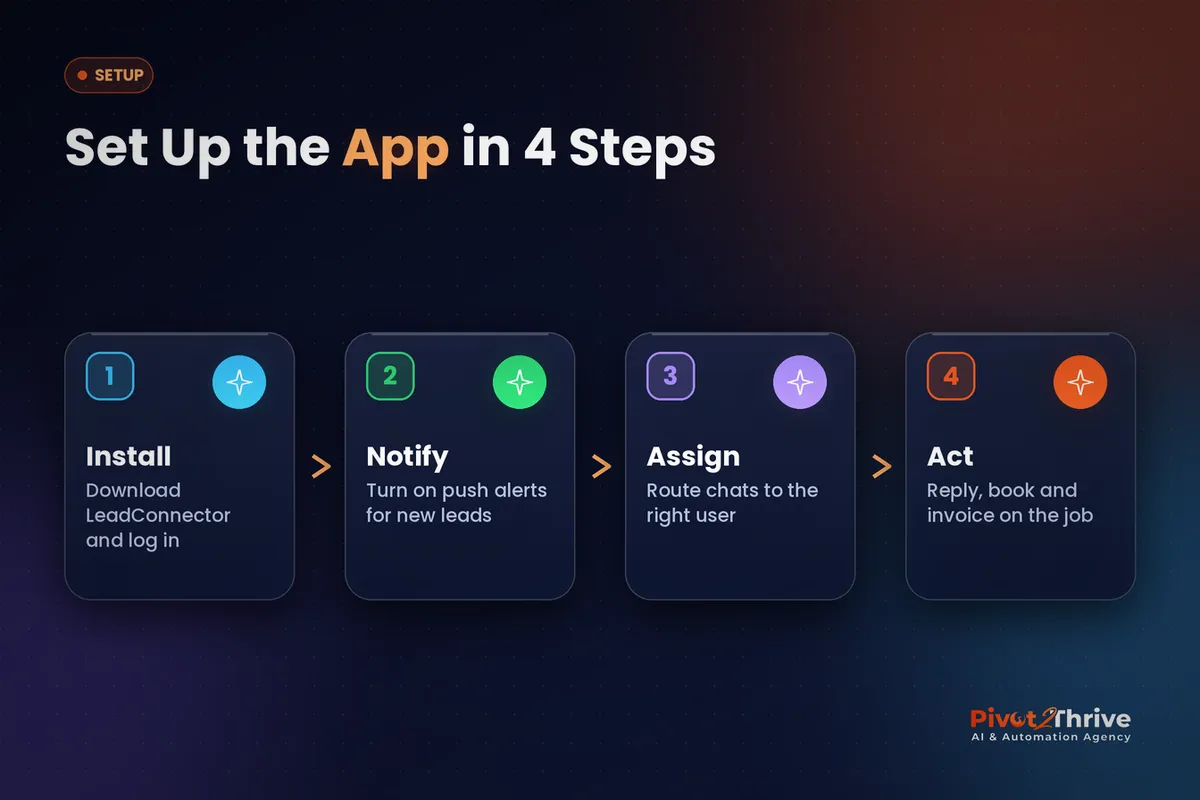
Here is the setup I run through with clients. It takes about 30 minutes per user and saves hours of missed follow-up every week.
1. Install LeadConnector and log in. Download LeadConnector from the App Store or Google Play, sign in with your HighLevel user, and pick the right sub-account. If you have several businesses, use the account switcher rather than separate logins.
2. Give every staff member their own user. Never share one login. Separate users mean conversations can be assigned, activity is tracked and access stays limited. Our GoHighLevel user roles and permissions guide shows how to restrict each person to what they need.
3. Tune push notifications. Turn on notifications for new inbound messages and new bookings; turn off the noise. If every email newsletter reply buzzes your phone, you'll start ignoring the alerts that matter.
4. Assign conversations, not just contacts. Use assignment rules or round robin so each enquiry lands with one owner. See round robin calendars in GoHighLevel for sharing leads fairly across a team.
5. Save snippets for your most common replies. Pricing questions, directions, "what to bring" and booking links should be one tap away. Snippets work in the app's conversation view, so replies stay fast and consistent.
6. Book and update deals on the spot. After a call, book the next appointment from the calendar tab and move the opportunity to the right pipeline stage before you put the phone down. Your workflows then trigger the right reminders automatically.
7. Take payment before you leave. Send an invoice or text-to-pay link from the app while you're still with the customer. Our GoHighLevel invoices and text-to-pay guide covers the payment setup.
| Task | In the mobile app | Do it on desktop |
|---|---|---|
| Reply to SMS, email, chat and social messages | Yes — unified Conversations tab | Also available |
| Call and text contacts from your business number | Yes | Also available |
| Check and book appointments | Yes | Also available |
| Move opportunities through the pipeline | Yes | Also available |
| Send invoices and payment links | Yes | Also available |
| Build workflows, funnels and AI agents | No | Yes — desktop or browser only |
Want your HighLevel account and app set up properly? We configure users, notifications and follow-up automations for Australian businesses. Book a free strategy call with Pivot 2 Thrive.
Not on HighLevel yet? Start with a free 30-day trial — enough time to build everything in this guide before you pay a cent.
An Australian Example: A Mobile Physio Running Her Day From the App
Picture a mobile physiotherapist on the Gold Coast who sees clients in their homes. Between appointments she has ten minutes in the car — and that's when new enquiries need answering.
Her web chat and missed-call text-back handle the first reply automatically. When a lead replies with a question, LeadConnector pings her phone. She answers with a saved snippet, books the assessment from the calendar tab and moves the opportunity to "Booked" — all before her next client.
At the end of each session she sends a text-to-pay link from the app, so invoices no longer pile up for Sunday night. The same pattern suits any business on the move, from tradies to skip bin hire businesses.
Common GoHighLevel Mobile App Mistakes
- Every notification switched on. Alert fatigue means real leads get swiped away.
- One shared login for the whole team. You lose accountability, assignment and access control.
- Replying from a personal mobile. Conversations outside HighLevel never reach the contact record or trigger workflows.
- Not updating the pipeline after calls. If the stage doesn't change, your reminders and reporting go wrong.
If you're also running paid campaigns, the app is how you keep up with lead volume — something we cover in Facebook ads for AI agencies.
Frequently Asked Questions
What is the GoHighLevel mobile app called?
The official GoHighLevel mobile app is called LeadConnector in the App Store and Google Play. Some agencies offer a white-labelled version under their own brand, which works the same way.
Is the GoHighLevel mobile app free?
The LeadConnector app is free to download for anyone with a HighLevel user login. Usage charges for calls, SMS and payments are billed through your HighLevel account as usual.
Can I build workflows in the GoHighLevel mobile app?
No. The mobile app is designed for daily work such as conversations, calls, calendars, opportunities and payments. Workflows, funnels and AI agents are built in the desktop or browser version.
Can my whole team use the GoHighLevel app?
Yes. Each staff member should have their own HighLevel user and log in to the app with it. That keeps conversation assignment, activity history and permissions accurate.
How do I stop too many notifications in the GoHighLevel app?
Open the app's notification settings and keep alerts on only for new inbound messages, new bookings and assigned conversations. Turning off low-value alerts makes it far less likely you'll miss a real lead.
Can I send invoices from the GoHighLevel mobile app?
Yes. Once payments are set up in your HighLevel account, you can send invoices and text-to-pay links from the app, which is handy for getting paid before leaving a job.
Ready to run your CRM from your pocket? Book your free strategy call or learn more about Pivot 2 Thrive.
Prefer to build it yourself? Try HighLevel free for 30 days and use this guide as your checklist.
Related Articles
Pivot 2 Thrive services
- PowerPivot Leads Pro: AI lead capture and follow-up, done for you
- AI Receptionist Agent: answer every call, 24/7
Keep reading on the blog
- GoHighLevel Conversations: One Inbox for SMS, Email, Chat and Socials
- GoHighLevel Invoices and Text-to-Pay Setup
- GoHighLevel User Roles and Permissions
- Missed-Call Text-Back for Australian Businesses
- AI for Skip Bin Hire Businesses in Australia
Everything else
