
GoHighLevel Lost Reasons: Track Why Deals Die and Win Them Back With Workflows (2026 Guide)
Last updated: November 2026.
 By Dr Priya Jaganathan, Certified AI Tech Stack Consultant · Pivot 2 Thrive · Updated 14 November 2026 · 7 min read
A step-by-step setup for recording why every opportunity was lost — and using that reason to send the right follow-up automatically.
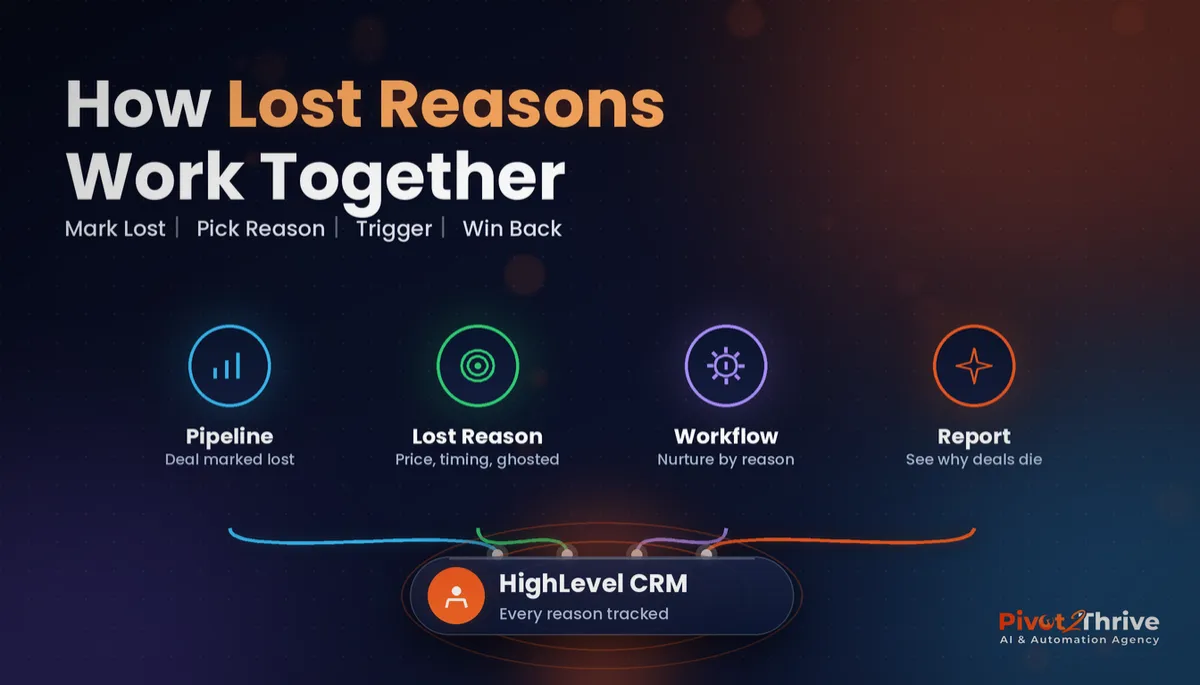
GoHighLevel lost reasons turn a vague “Lost” status into data you can act on. Instead of a pipeline full of dead deals and no idea why, you get a clear picture — price, timing, no response, chose a competitor — and a workflow that follows up each group the right way.
Some links below are affiliate links — if you sign up through them, Pivot 2 Thrive may earn a commission at no extra cost to you. It never changes what we recommend.
Create a short, fixed list of lost reasons, make your team pick one every time an opportunity is marked Lost, and use the Opportunity Status Changed trigger to start a win-back workflow for each reason. Review the reasons monthly to fix the offer, not just the follow-up.
I'm Dr Priya Jaganathan — Go High Level Certified Admin, Certified AI Tech Stack Consultant and keynote speaker. At Pivot 2 Thrive I build these systems for Australian businesses every week, so this guide is written from the build, not the brochure.
GoHighLevel lost reasons are… the “why” behind every Lost deal
In HighLevel, every opportunity has a status: Open, Won, Lost or Abandoned. A lost reason is the label you attach when you move an opportunity to Lost, chosen from a list you control.
On its own, “Lost” tells you nothing. “Lost — price” or “Lost — no decision-maker” tells you what to do next, both for that contact and for your sales process.
Lost reasons sit alongside your stages, so get those right first — our guide to GoHighLevel pipeline stages walks through a structure that shows where deals stall.
Why tracking GoHighLevel lost reasons pays off
Most businesses never look at their lost deals again. Yet these contacts already enquired, already spoke to you and already know your price — they are the warmest list in your CRM after your current customers.
Reasons also expose problems you cannot see from a won-deal report. If losses keep saying “price” on one service, the offer needs work. If they say “no response”, your follow-up is too slow — something an audit of your lead follow-up will show quickly.
And they make automation safer. A win-back message tailored to the reason feels personal; a generic “still interested?” blast to every lost contact does not.
How to set up GoHighLevel lost reasons and win-back workflows in 6 steps
This setup suits any HighLevel sub-account with a sales pipeline. Allow about two hours, plus a week of your team using it before you trust the reports.
1. Write a short reason list. Keep it to six to eight reasons that each lead to a different action: Price, Timing, No response, Chose competitor, No decision-maker, Not a fit, Doing it themselves. Avoid “Other” — it becomes the most popular reason within a month.
2. Add the reasons in your opportunity settings. In the Opportunities area, open the settings and add your lost reasons so they appear as a pick-list when a deal is marked Lost. Menu labels shift between HighLevel releases, so if you cannot find the option, a dropdown custom field called “Lost reason” on the opportunity does the same job.
3. Make choosing a reason a team rule. Tell everyone that no deal is marked Lost without a reason, and spot-check weekly. Data is only as good as the habit behind it.
4. Build one workflow per reason group. Use the Opportunity Status Changed trigger filtered to status Lost and your pipeline, then branch with If/Else on the reason. Each branch waits the right amount of time and sends a message that fits. The table below is a starting point.
| Lost reason | Wait before first message | Win-back action |
|---|---|---|
| Price | 30 days | Offer a smaller package or payment plan |
| Timing | 60 days, or the date they gave | Re-send the quote with a booking link |
| No response | 21 days | One short SMS asking if they still need help |
| Chose competitor | 90 days | Friendly check-in and a free review offer |
| No decision-maker | 7 days | A summary they can forward to the decision-maker |
| Not a fit | None | Tag only — no follow-up |
5. Re-open the deal when they reply. Add a goal or a reply trigger that moves the opportunity back to Open in an early stage and alerts the owner. Our guide to GoHighLevel workflow goal events shows how to stop the sequence the moment someone books.
6. Report on reasons every month. Filter your opportunities by status Lost and reason, or add a dashboard widget, then ask one question: which reason grew? That is where to fix your offer, pricing or speed.
Start with two reason groups if six feels like a lot. Price and timing usually cover most losses.
A Lost status with no reason is a closed door. A Lost status with a reason is a follow-up date.
Not on HighLevel yet? Start with a free 30-day trial — enough time to build everything in this guide before you pay a cent.
An Australian example: a Brisbane solar installer's lost quotes
Here is an illustrative scenario. A Brisbane solar installer sends dozens of quotes a month and marks most unsigned ones as Lost with no reason.
They added six lost reasons, made picking one mandatory in their weekly sales meeting and built a workflow for price, timing and no-response losses.
Price losses received a smaller-system option after 30 days. Timing losses got their quote re-sent before winter power bills arrived. No-response losses got one short SMS.
After a couple of months, the owner could see that most losses were timing rather than price — so they stopped discounting and focused on following up at the right moment.
GoHighLevel lost reason mistakes to avoid
- Too many reasons. Fifteen options means nobody picks the right one. Keep it to six to eight.
- An “Other” option. It swallows everything. Remove it and add a real reason when a pattern appears.
- One workflow for all losses. A generic win-back message ignores why they said no. Branch by reason.
- Never re-opening deals. If a lost contact replies and stays Lost, your reports are wrong and the owner never hears about it.
- Not reviewing the data. Reasons are only useful if someone looks at them monthly and changes something.
For the sales-side strategy behind this setup, read my sibling guide on how I would win back AI agency lost deals, and use GoHighLevel smart lists to keep lost contacts in their own segments.
Frequently Asked Questions
What is a lost reason in GoHighLevel?
A lost reason is a label you attach to an opportunity when you change its status to Lost, chosen from a list you set up. It records why the deal did not close, such as price, timing or no response, so you can follow up and report on it.
How do I add lost reasons in GoHighLevel?
Add them in your opportunity settings so they appear as a pick-list when a deal is marked Lost. If your account does not show the option, create a dropdown custom field called Lost reason on the opportunity and use it the same way.
Can a GoHighLevel workflow trigger when an opportunity is lost?
Yes. Use the Opportunity Status Changed trigger filtered to the Lost status and your pipeline, then use If/Else branches to send a different follow-up depending on the lost reason.
How many lost reasons should I set up?
Six to eight is usually right. Each reason should lead to a different action, and you should avoid an Other option because it quickly becomes the most chosen reason and hides real patterns.
How long should I wait before following up a lost deal?
It depends on the reason: around 30 days for price, 60 days or the date given for timing, three weeks for no response and about 90 days if they chose a competitor. Not-a-fit contacts should not be followed up.
How do I report on lost reasons in HighLevel?
Filter your opportunities by the Lost status and reason, or add a dashboard widget, and review it monthly. Look for the reason that is growing — that tells you whether to fix price, speed or follow-up.
Still deciding on a platform? Try HighLevel free for 30 days and build your first lost-reason workflow on real data.
Related Articles
Our services
- PowerPivot Leads Pro — AI lead generation and follow-up
- AI Receptionist Agent — answer every call, 24/7
Keep reading
 GoHighLevel Pipeline Stages: How to Set Them Up
 GoHighLevel Workflow Goal Events: Stop Chasing Leads Who Have Already Booked
 GoHighLevel Smart Lists: How to Segment Your Contacts
 GoHighLevel Attribution Reporting: See Which Channels Book Jobs
Everything else