GoHighLevel Workflow Goal Events: Stop Chasing Leads Who Have Already Booked (2026 Guide)
Last updated: November 2026.
 By Dr Priya Jaganathan, Certified AI Tech Stack Consultant · Pivot 2 Thrive · Updated 12 November 2026 · 8 min read
How to use the Goal Event action in GoHighLevel workflows so a nurture sequence stops chasing people the moment they do what you wanted.
GoHighLevel workflow goal events fix one of the most embarrassing automation mistakes: sending "Still keen to book?" to someone who booked yesterday. Without a goal, a nurture sequence keeps running until its last step, whatever the lead has already done.
Some links below are affiliate links — if you sign up through them, Pivot 2 Thrive may earn a commission at no extra cost to you. It never changes what we recommend.
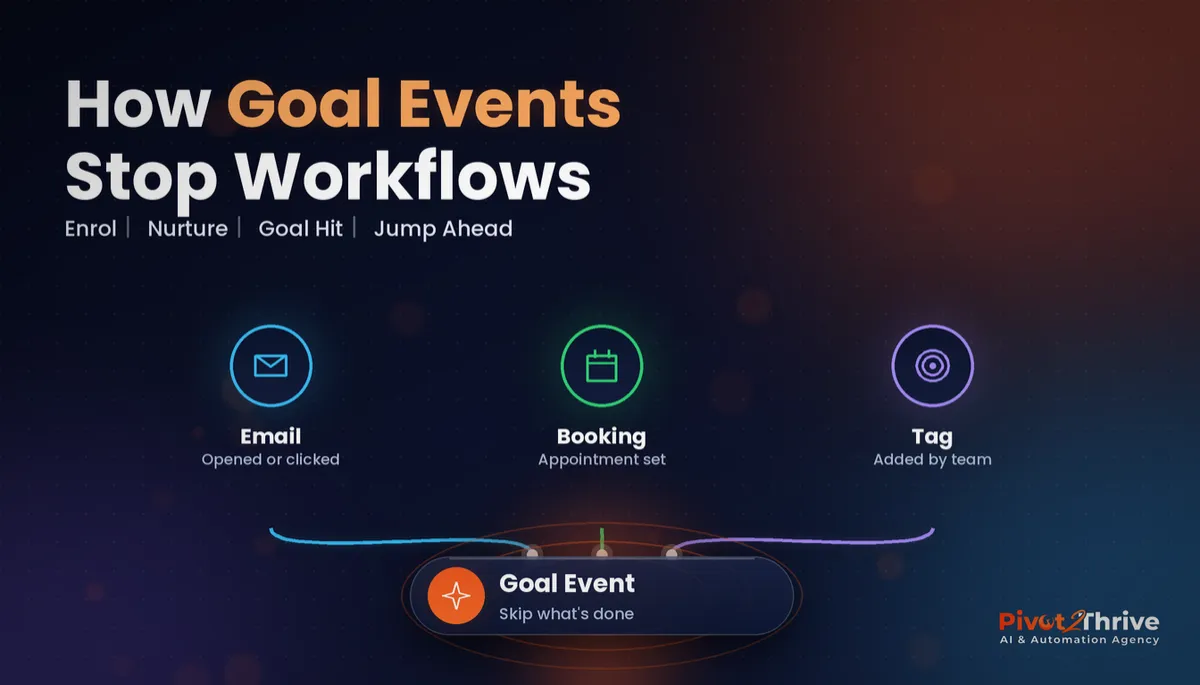
A GoHighLevel workflow goal event is an action you place in a workflow that watches for an outcome, such as an email click, a tag or a booking. When a contact meets it, they jump straight to that point and skip every remaining nurture step. Use one goal per workflow, decide what happens to contacts who reach it without meeting it, and test it on a dummy contact.
I'm Dr Priya Jaganathan — Go High Level Certified Admin, Certified AI Tech Stack Consultant and keynote speaker. At Pivot 2 Thrive I build these systems for Australian businesses every week, so this guide is written from the build, not the brochure.
A GoHighLevel workflow goal event is a finish line for your sequence
A GoHighLevel workflow goal event is a workflow action that defines the outcome a sequence is working towards. When a contact achieves that outcome at any point, they leave the steps they are on and jump to the goal.
Think of it as the finish line. Everything above it is chasing; everything below it is what happens after success, such as a thank-you message or a task for your team.
Goal events work alongside tags and trigger links. If your naming is messy, sort it first with our GoHighLevel tags naming system, because goals are only as reliable as the signals they watch.
Why GoHighLevel goal events matter for speed to lead and trust
Nothing breaks the illusion of personal service faster than a reminder for something the customer has already done. It tells them the business is not paying attention.
Goal events also keep your numbers honest. When contacts who convert leave the nurture path, your workflow stats show who actually needed the extra messages, and you stop paying for SMS that nobody needed.
And they protect your sender reputation. Fewer irrelevant emails means fewer unsubscribes and spam complaints, which matters for the deliverability practices in our GoHighLevel email campaigns guide. Under Australia's Spam Act, commercial messages also need consent and a working unsubscribe, so sending less, more relevantly, is the safer habit.
How to set up GoHighLevel workflow goal events in 6 steps
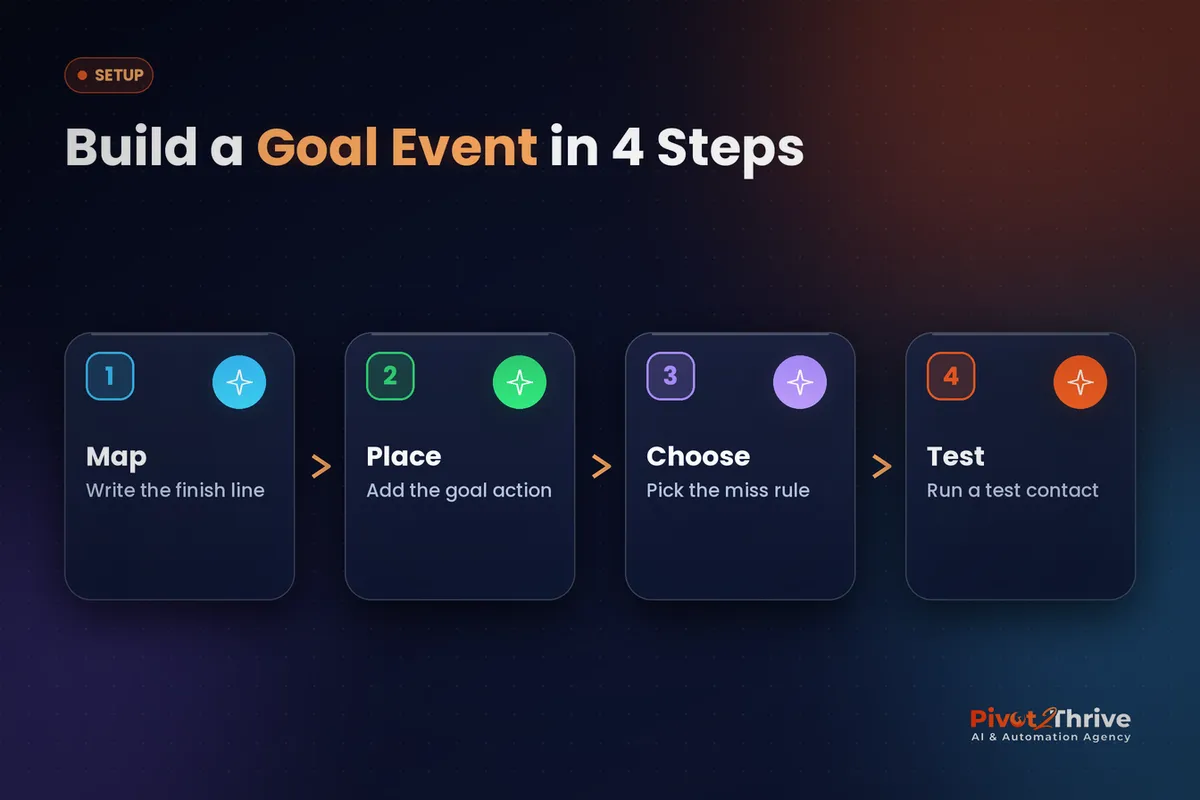
This takes about 30 minutes for an existing nurture workflow. Work on a copy first if the workflow is live.
1. Write the finish line in one sentence. "This workflow ends when the lead books a consult" or "when they click the quote link". If you can't say it in a sentence, the workflow is trying to do two jobs.
2. Make sure the outcome leaves a signal. HighLevel needs something it can detect: an email open or click, a trigger link click, a tag being added, or another event type available in your account. Booking forms and calendars can add a tag; our custom values and trigger links guide shows how to create link-based signals.
3. Add the Goal Event action. In the workflow builder, add the Goal Event action where success should land, usually after the last nurture message. Give it a clear name such as "Goal: consult booked" and set the criteria. You can add more than one condition inside a single goal, but HighLevel allows only one Goal Event action per workflow.
4. Choose the rule for contacts who reach it without meeting it. When someone works through every nurture step without converting, you decide what happens. The options are summarised below:
| Option | What happens | Use it when |
|---|---|---|
| End the workflow | The contact exits at the goal step | Steps after the goal are only for converters |
| Continue anyway | The contact carries on to the steps below | Everyone should get the closing steps, e.g. a final survey |
| Wait until the goal is met | The contact pauses at the goal step | You want follow-up to fire only if they convert later |
5. Put the success steps under the goal. Confirmation messages, an internal notification, a task for the team or a move to the next pipeline stage all go below the goal action, so only people who achieved it get them.
6. Test with a dummy contact. Enrol a test contact, let one message send, then trigger the goal (click the link or add the tag). Check the contact's workflow history to confirm it skipped the remaining waits and landed on the goal.
Once one workflow is right, use the same pattern across your quote follow-ups, reactivation campaigns and no-show sequences.
Automation should know when to stop talking. A goal event is how you teach your workflow that the lead has already said yes.
Not on HighLevel yet? Start with a free 30-day trial — enough time to build everything in this guide before you pay a cent.
An Australian example: a Perth physio clinic's new-patient sequence
Here is an illustrative scenario, not a real client. A Perth physiotherapy clinic runs a five-message nurture over ten days for website enquiries that haven't booked.
Before goal events, patients who booked on day two still got the day five "still thinking about it?" text. The front desk took the awkward replies.
The clinic adds a tag when the booking calendar confirms an appointment, and places a goal event watching for that tag after the last nurture step. Below it sits a welcome message with intake forms and parking details, which links into the appointment reminders workflow.
Now a patient who books on day two gets their welcome message straight away, and the nurture stops. The front desk notices the confused replies have dried up.
GoHighLevel goal event mistakes to avoid
- Watching a signal that never fires. If the booking or form doesn't add the tag the goal watches, nobody ever jumps. Confirm the signal on a test contact first.
- Putting the goal too early. Place it where success should land, not near the top, or the "miss" rule will catch contacts who were still being nurtured.
- Trying to track two outcomes. One goal per workflow is the limit. If you need "booked" and "bought", split the journey into two workflows.
- Forgetting the other workflows. A contact can sit in several sequences. Use goals, or a remove-from-workflow step, in each one that would otherwise keep chasing.
- Skipping the test. A broken goal fails quietly. Five minutes with a dummy contact saves weeks of mixed messages.
If an outside app reports the outcome, such as a payment system, pass it into HighLevel with the approach in our GoHighLevel webhooks guide.
Frequently Asked Questions
What is a goal event in a GoHighLevel workflow?
A goal event is a workflow action that defines the outcome a sequence is working towards, such as a click, a tag or a booking. When a contact meets it, they skip the remaining steps and jump straight to the goal. Steps placed below the goal run only after that point.
How many goal events can a GoHighLevel workflow have?
HighLevel allows one Goal Event action per workflow. You can include more than one condition inside that single action. If you need to track two separate outcomes, split them into two workflows.
What can a GoHighLevel goal event watch for?
Common goal types include email events such as opens and clicks, trigger link clicks and tags being added, with more event types available depending on your account. A reliable approach is to have your calendar, form or payment step add a tag, then set the goal to watch for that tag.
What happens if a contact reaches the goal without meeting it?
You choose. The workflow can end for that contact, continue to the steps below anyway, or wait at the goal step until the condition is met. Pick the option that matches what the steps below the goal are for.
Is a goal event the same as removing a contact from a workflow?
No. Removing a contact stops the workflow completely, while a goal event moves them forward to a defined point so the success steps can still run. Goals are better when you want a thank-you or next-step message after conversion.
How do I test a GoHighLevel goal event?
Enrol a dummy contact, let the first message send, then trigger the goal by clicking the link or adding the tag. Check the contact's workflow history to confirm it skipped the waits and landed on the goal step.
Still deciding on a platform? Try HighLevel free for 30 days and build your first goal event on a test contact this week.
Related Articles
Our services
- PowerPivot Leads Pro — AI lead generation and follow-up
- AI Receptionist Agent — answer every call, 24/7
Keep reading
 GoHighLevel Appointment Reminders (2026 Guide)
 GoHighLevel Tags: A Naming System That Scales
 GoHighLevel Custom Values and Trigger Links
 GoHighLevel Webhooks (2026 Guide)
 AI for Surf Schools in Australia (2026 Guide)
Everything else