
GoHighLevel Business Hours: Set Up Christmas Closure Auto-Replies That Still Capture Every Lead (2026 Guide)
Last updated: November 2026.
 By Dr Priya Jaganathan, Certified AI Tech Stack Consultant · Pivot 2 Thrive · Updated 15 November 2026 · 8 min read
A step-by-step build for closing over Christmas without leaving enquiries unanswered, double-booked or forgotten in January.
Getting your GoHighLevel business hours right before the Christmas break is the difference between a quiet January and a full one. Most Australian businesses shut for a week or two, but their website forms, Google profile and missed-call text-back keep running as if someone is at the desk.
The result is predictable: enquiries arrive, nobody answers, and by the time you are back the lead has booked with whoever replied first. This guide shows you how to make HighLevel tell people you are closed, still capture what they need, and follow up automatically the moment you reopen.
Some links below are affiliate links — if you sign up through them, Pivot 2 Thrive may earn a commission at no extra cost to you. It never changes what we recommend.
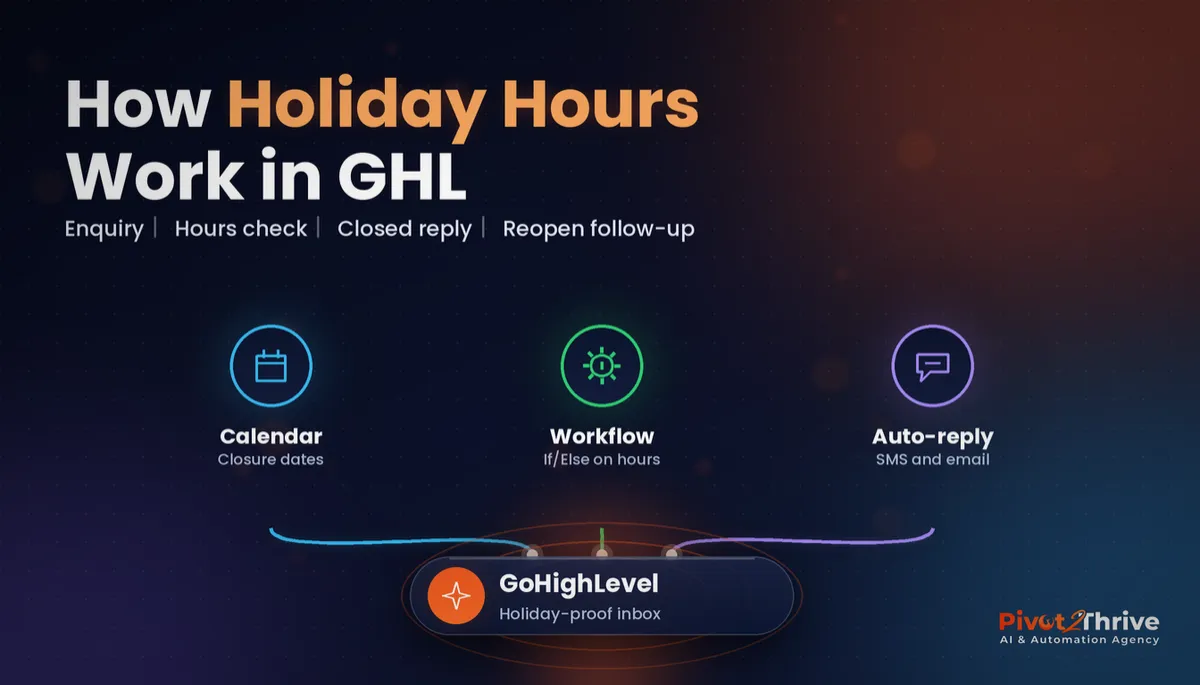
Set your GoHighLevel business hours for the holidays in four layers: block the closure dates in every calendar, publish a closure auto-reply workflow, hold follow-ups with a Wait step until you reopen, and send a reopening message that books the lead. Built once, the same setup works for every public holiday and staff break.
I'm Dr Priya Jaganathan — Go High Level Certified Admin, Certified AI Tech Stack Consultant and keynote speaker. At Pivot 2 Thrive I build these systems for Australian businesses every week, so this guide is written from the build, not the brochure.
GoHighLevel business hours are more than a calendar setting
GoHighLevel business hours are the rules that decide when your account books appointments, sends messages and promises a reply. They live in more than one place: calendar availability, workflow time windows, and the wording of every auto-reply you send.
That is why holiday closures go wrong. Owners block the calendar but forget the workflow that texts "we'll call you in five minutes", so a lead gets a promise nobody can keep.
Think of it as one system with three parts: when people can book, when messages go out, and what you say while you are away. If you already run GoHighLevel appointment reminders, those need checking too, because a reminder for a cancelled holiday slot causes confusion.
Why holiday business hours cost Australian businesses leads
The 2026 break is longer than usual. Because Boxing Day falls on a Saturday this year, the Fair Work Ombudsman's 2026 public holiday list shows Monday 28 December as an additional public holiday in most states and territories, with New Year's Day on Friday 1 January 2027. Plenty of businesses will be closed for the whole stretch.
Customers do not stop searching just because you have stopped working. Late December is when people book January services, chase quotes for summer projects and compare providers while they have time off.
An enquiry that sits unanswered for ten days is usually a lost enquiry. If your agency manages client accounts, the same risk multiplies across every sub-account, which is why we wrote a separate Christmas coverage plan for AI agencies.
How to set up GoHighLevel holiday hours in 6 steps
This build takes about 60 to 90 minutes for a single location. Do it in late November, test it in early December, and switch it on the day you close.
1. Audit every promise you make. Open Automation and list each workflow that sends a message to a new lead or customer: form submissions, missed-call text-back, chat widget replies, review requests and booking confirmations. Note any wording that implies an instant reply, such as "we'll call you shortly".
2. Block the closure dates in every calendar. In each calendar's availability settings, use date-specific hours to mark the closed days as unavailable. Do this for every team member's calendar, including round-robin calendars, so the booking widget cannot offer a slot on 29 December that nobody will attend.
3. Build a closure auto-reply workflow. Create a workflow triggered by inbound messages, form submissions and missed calls. Its first action sends a short SMS and email: you are closed until a named date, here is the link to book a time after you reopen, and here is what to do if it is urgent. Keep it to three sentences.
4. Pause instant-reply promises. Set your normal speed-to-lead workflows to draft for the closure, or add an If/Else branch so the holiday version runs instead. Running both at once sends two contradictory messages, which looks worse than sending none.
5. Hold follow-ups until you reopen. Add a Wait step set to a time window (your reopening days and hours) before any call task or follow-up text. Leads that arrive on 27 December then get their first human touch on your first morning back, not at 2am on Boxing Day.
| Layer | Where in GoHighLevel | What it prevents |
|---|---|---|
| Calendar blocks | Calendar availability, date-specific hours | Bookings on days nobody is working |
| Closure auto-reply | Workflow on inbound message, form and missed call | Silence that sends the lead elsewhere |
| Paused instant replies | Speed-to-lead workflows set to draft or branched | Promises you cannot keep |
| Wait step time window | Before tasks and follow-ups | Messages and tasks firing mid-break |
| Reopening message | Smart list plus bulk action or workflow | Holiday leads going cold in January |
6. Send a reopening message that books the lead. Tag every contact who came in during the closure, then on your first day back send them a personal note with your booking link. A pre-written reply from your GoHighLevel snippets library keeps this fast when replies start rolling in.
Once it works for Christmas, clone the workflow and reuse it for Easter, long weekends and staff leave. HighLevel updates its builder regularly, so if a menu label differs from this guide, look for the same setting under the calendar or workflow settings panel.
Customers do not mind that you are closed. They mind not knowing when you will be back.
Not on HighLevel yet? Start with a free 30-day trial — enough time to build everything in this guide before you pay a cent.
An Australian example: a Brisbane physio clinic closing for ten days
Here is an illustrative scenario based on the kind of builds we do. A two-practitioner physiotherapy clinic in Brisbane closes from 24 December to 4 January.
Before the break, they block both practitioners' calendars, publish a closure auto-reply, and set their new-patient workflow to wait for a Monday-to-Friday, 8am-to-5pm window from 5 January.
Over the break, about thirty enquiries arrive through the website and missed calls. Every one gets an instant, honest reply with a link to book from 5 January, and several book themselves without anyone touching the CRM.
On the first morning back, the front desk opens a smart list of holiday enquiries and works through the few who have not booked. The owner starts January with a full first week instead of a voicemail backlog.
GoHighLevel holiday hours mistakes to avoid
- Blocking only the owner's calendar. Round-robin and team calendars keep offering slots. Check every calendar that appears on a booking widget.
- Leaving "we'll call you in five minutes" live. A broken promise damages trust more than a slower, honest reply. Pause or branch every instant-reply workflow.
- Forgetting to switch it back. Put a dated task on your first day back to republish normal workflows, or a lead in February gets your Christmas message.
- No urgent path. For trades, health and property businesses, say what to do in an emergency, such as calling 000 or a named after-hours provider.
- Skipping the test. Submit your own form and call your own number before you close, and read exactly what a customer would receive.
If your workflows already use goals, check the GoHighLevel workflow goal events logic still fires when a holiday lead books themselves.
Frequently Asked Questions
How do I set business hours for public holidays in GoHighLevel?
Use date-specific hours in each calendar's availability settings to mark public holidays as unavailable, then add a Wait step with a time window before any follow-up in your workflows. Together they stop bookings and messages on days you are closed.
Can GoHighLevel send an automatic reply when we are closed?
Yes. Build a workflow triggered by inbound messages, form submissions and missed calls that sends a short SMS and email saying when you reopen, with a booking link. Publish it for the closure period and set it back to draft when you return.
Will missed-call text-back still work over Christmas?
Missed-call text-back keeps running unless you change it, so check its wording before you close. Replace any promise of an immediate call-back with your reopening date and a booking link.
What public holidays fall over Christmas 2026 in Australia?
Christmas Day is Friday 25 December 2026, Boxing Day is Saturday 26 December, and Monday 28 December is an additional public holiday in most states and territories according to the Fair Work Ombudsman's 2026 list. New Year's Day is Friday 1 January 2027.
How do I follow up holiday leads when we reopen?
Tag every contact who enquired during the closure, build a smart list from that tag, and send a personal reopening message with your booking link on your first day back. Then call anyone who has not booked within two business days.
Can I reuse the same holiday setup for Easter and long weekends?
Yes. Clone the closure workflow, update the dates and reopening message, and block the new dates in your calendars. Most businesses build it once and reuse it four or five times a year.
Still deciding on a platform? Try HighLevel free for 30 days and build your holiday hours workflow before the break.
Related Articles
Our services
- PowerPivot Leads Pro — AI lead generation and follow-up
- AI Receptionist Agent — answer every call, 24/7
Keep reading
 GoHighLevel Appointment Reminders: Cut No-Shows With Workflows That Confirm Every Booking
 AI Agency Christmas Coverage Plan: Keep Client Automations Running Over the Break
 GoHighLevel Snippets: Reply Faster With Saved Messages Your Team Actually UsesAI for Bike Shops in Australia: Book Every Service Before the Christmas RushAI Agency Proposal Follow-Up: How I Would Chase Sent Proposals Without Sounding Desperate
Everything else